Best Facebook Group Album Downloaders for PC

Downloading photos from Facebook group albums can be a time-consuming task, especially when an album contains dozens or hundreds of images. Facebook lets users save individual photos with ease, but efficiently downloading a complete collection can be a different story.
The good news is that dedicated downloaders, handy browser extensions, and online services can make saving photos much faster and easier. Whether you want to back up photos from a group you manage, save your own uploaded images, or download content you have permission to use, the right tool can save considerable time.
In this guide, we’ll explore the best Facebook group album downloaders for PC, compare their features, and help you choose the right option for bulk photo downloads.
1. Best Recommended Facebook Photo Downloader: PicCat
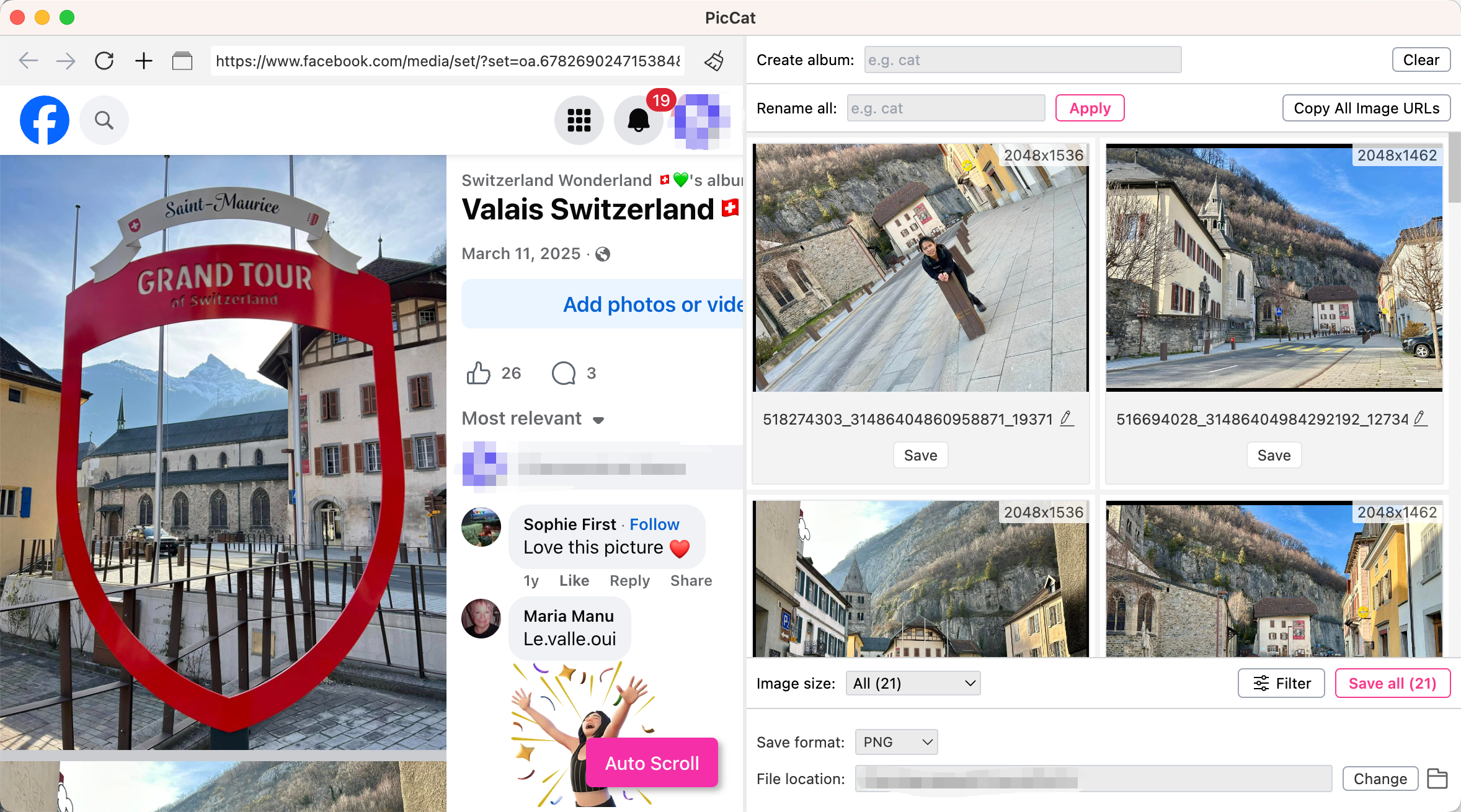
For large Facebook group albums, using a dedicated desktop downloader can save you the hassle of opening and saving every photo one at a time. PicCat is our recommended choice because it focuses on making bulk photo downloading easier from a PC.
Main features of PicCat:
- Bulk image downloading: Download multiple images simultaneously.
- Multi-URL scanning: Process multiple webpage URLs in one task.
- Original-quality images: Preserve available source resolution and format.
- Smart filtering: Filter images by resolution and file type.
- Batch renaming: Rename downloaded images automatically.
- Copy Image URLs: Export extracted images URLs in onee click.
- Multiple formats: Supports JPG, PNG, GIF, WEBP, SVG, BMP, and more.
How to Download Facebook Group Album Photos with PicCat:
- Download and install PicCat on your Windows or Mac, then launch the program.
- Open Facebook inside PicCat and sign in through the normal Facebook login process if required.
- Navigate to the Facebook group containing the album, scroll th epage and make PicCat to detect and display available photos.
- Select desired photos based on size and type, then choose your preferred download settings, such as output format and folder.
- Click Save all to start the download and let PicCat process the selected photos.
2. Best Image Downloader Extensions to Download Facebook Group Album Photos
Browser extensions are another popular option to download Facebook photos. They can be particularly useful when you only need to download a small or medium-sized collection and don’t want to use dedicated desktop software.
Most image downloader extensions work by scanning the images currently loaded on a webpage. You can then choose the Facebook album images you want from the detected results and save them to your computer.
Popular Choices:
- Image Downloader
- ImageAssistant
- Fatkun Batch Download Image
- Bulk Image Download – HImage
- Album Downloader for FB
Steps:
- Choose a trusted extension such as HImage and install it directly from your browser’s official extension store.
- Open Facebook and sign in normally, then go to the relevant group, open the album containing the photos and scroll through the album to load the images.
- Activate the image downloader extension and wait for it to detect the loaded images.
- Filter the results if necessary, then select the photos you want and start the download.
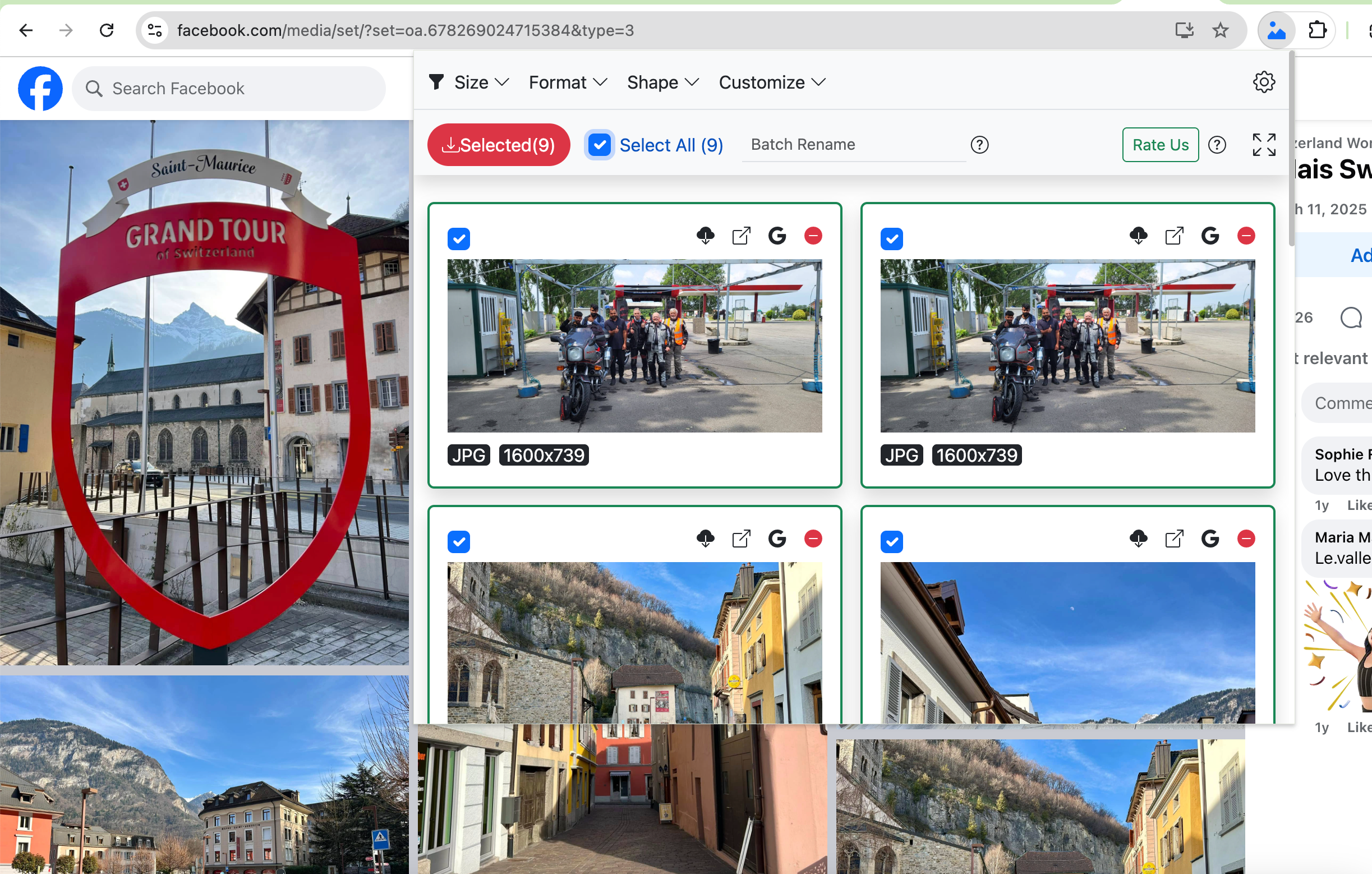
Extensions are convenient, but they have limitations. Facebook pages use dynamic loading, so an extension may not detect photos that haven’t been loaded yet. You may also need to repeat the process for particularly large albums.
3. Best Online Downloaders to Download Facebook Group Album Photos
If you don’t want to install desktop software or browser extensions, an online downloader may seem like the easiest option. These services operate directly through a web browser, usually requiring you to paste a Facebook URL into an input field.
Popular Choices:
- FDownloader
- FvidGo
- Publer Facebook photo downloader
- FGet
- Image Extrator
Steps:
- Open Facebook and find the relevant group album and copy the URL.
- Open the online downloader in your browser and paste the URL into the input field.
- Click the download or processing button and wait for the website to analyze the link.
- Select available photos and save the resulting files to your PC.
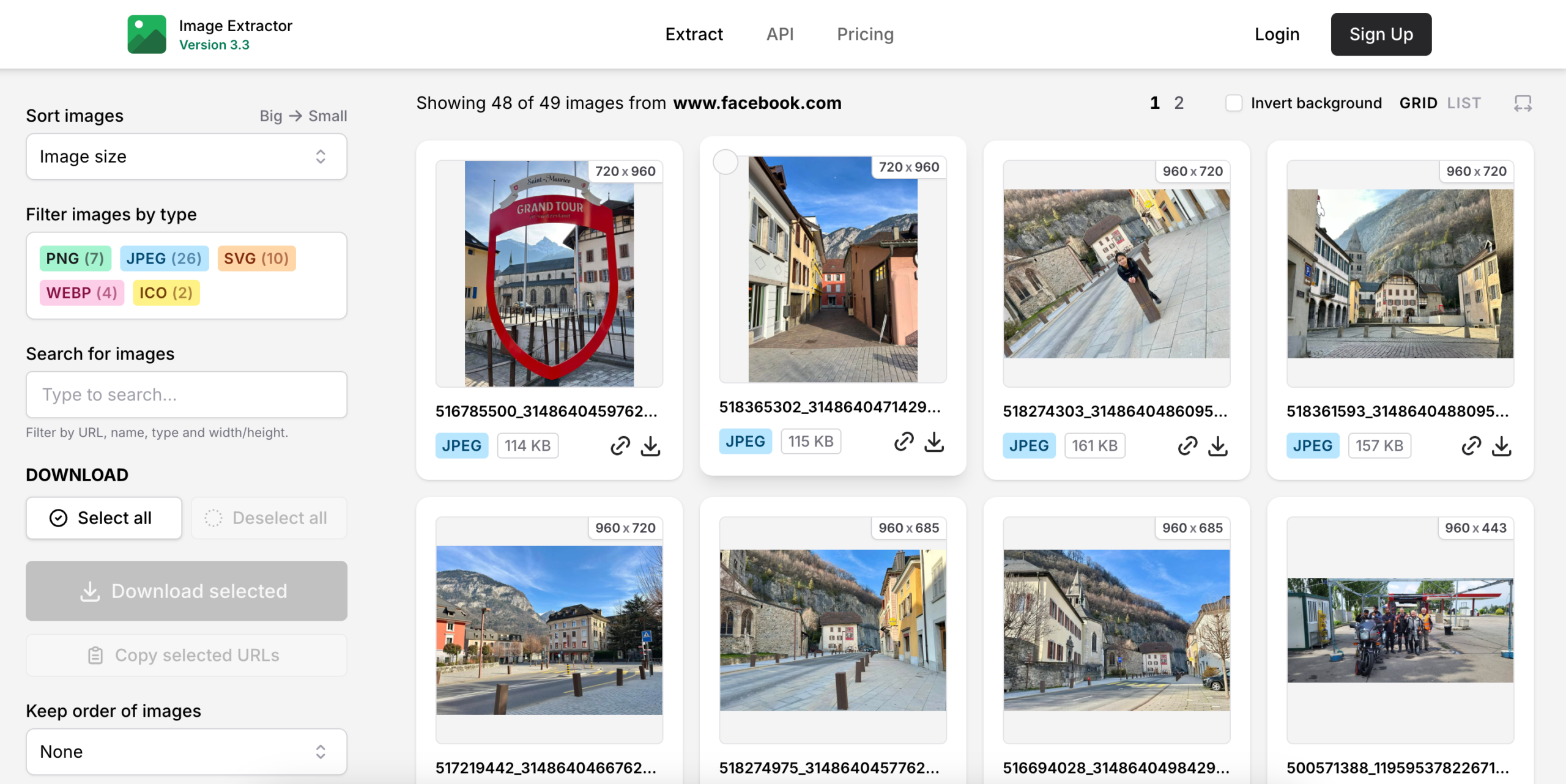
The biggest advantage of online tools is their convenience, as they require no installation, although they often come with more limitations than dedicated applications.
For example, some services only support individual photos or videos, while others may not work with private groups or dynamically loaded Facebook albums. Some websites may also display ads, impose download limits, or place other restrictions on their services.
4. PicCat vs. Extensions vs. Online Downloaders
The best choice depends largely on the number of photos you need to download.
| Method | Popular Choices | Best For | Batch Support | More Features |
| Desktop downloader | PicCat | Large Facebook photo collections | High | Advanced |
| Browser extensions | Image Downloader, ImageAssistant, Fatkun | Small to medium albums | Medium–High | Medium |
| Online downloaders | FDownloader, Image Extractor | Occasional downloads | Low–Medium | Low |
5. Conclusion
Downloading photos from Facebook group albums can be tedious when you’re dealing with dozens or hundreds of images. Browser extensions and online downloaders can help with smaller or occasional downloads, but they may have limitations with large albums.
For efficient bulk downloading, PicCat is our top recommendation. With features such as bulk image downloading, smart filtering, multi-URL scanning, batch renaming, and support for multiple formats, it provides a convenient way to save and organize Facebook group album photos on PC.