How to Download Facebook Pages?

Facebook pages contain a wealth of valuable information, including business updates, community discussions, educational resources, event details, and media content. Whether you’re a researcher archiving information, a marketer monitoring competitors, a student collecting resources, or simply someone who wants offline access to important content, downloading Facebook pages can be extremely useful.
Unfortunately, Facebook does not provide a direct option to download public pages in their entirety. While page administrators can export some page data, regular users often need alternative methods to save Facebook pages for offline viewing or future reference.
In this guide, we’ll explore the effective methods for downloading Facebook pages and explore the best solution.
1. Best Recommended: Download Facebook Pages with PageCat
If you frequently save web pages or need complete Facebook page archives, using a dedicated page-capturing tool is often the best choice.
PageCat is a powerful page catcher designed to save complete web pages for offline viewing and long-term archiving. Unlike basic browser saving methods, PageCat focuses on preserving page content accurately while providing additional tools for organization and management.
Key features of PageCat:
- Capture full Facebook pages as they appear online.
- Batch capture multiple Facebook page URLs.
- Search and manage saved pages efficiently.
- Highlight important text and information.
- Reader mode to remove distracting elements.
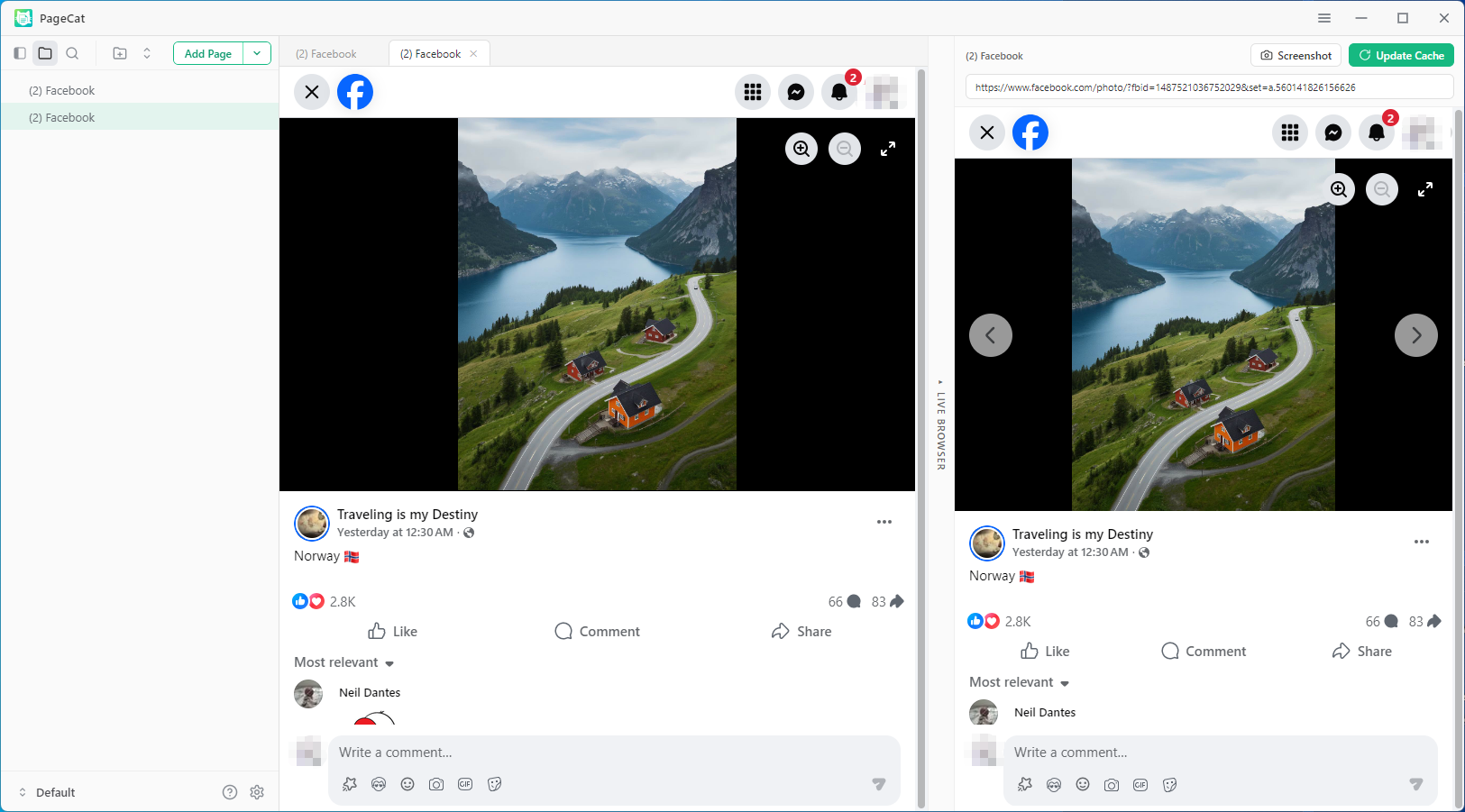
How to download Facebook pages with PageCat:
- Download and install PageCat on your computer.
- Launch PageCat and use the Live Browser to open Facebook page you want to save ( Log in if requied).
- Scroll the full page, then click Deep Archive and PageCat will save the page on your device.
2. Save a Facebook Page as HTML
One of the easiest ways to download a Facebook page is by saving it as an HTML file using your browser.
Steps:
- Open the Facebook page in your browser and wait until the content loads completely.
- Right-click anywhere on the page, select Save As and choose Webpage, Complete.
- Select a destination folder, click Save to download the page.
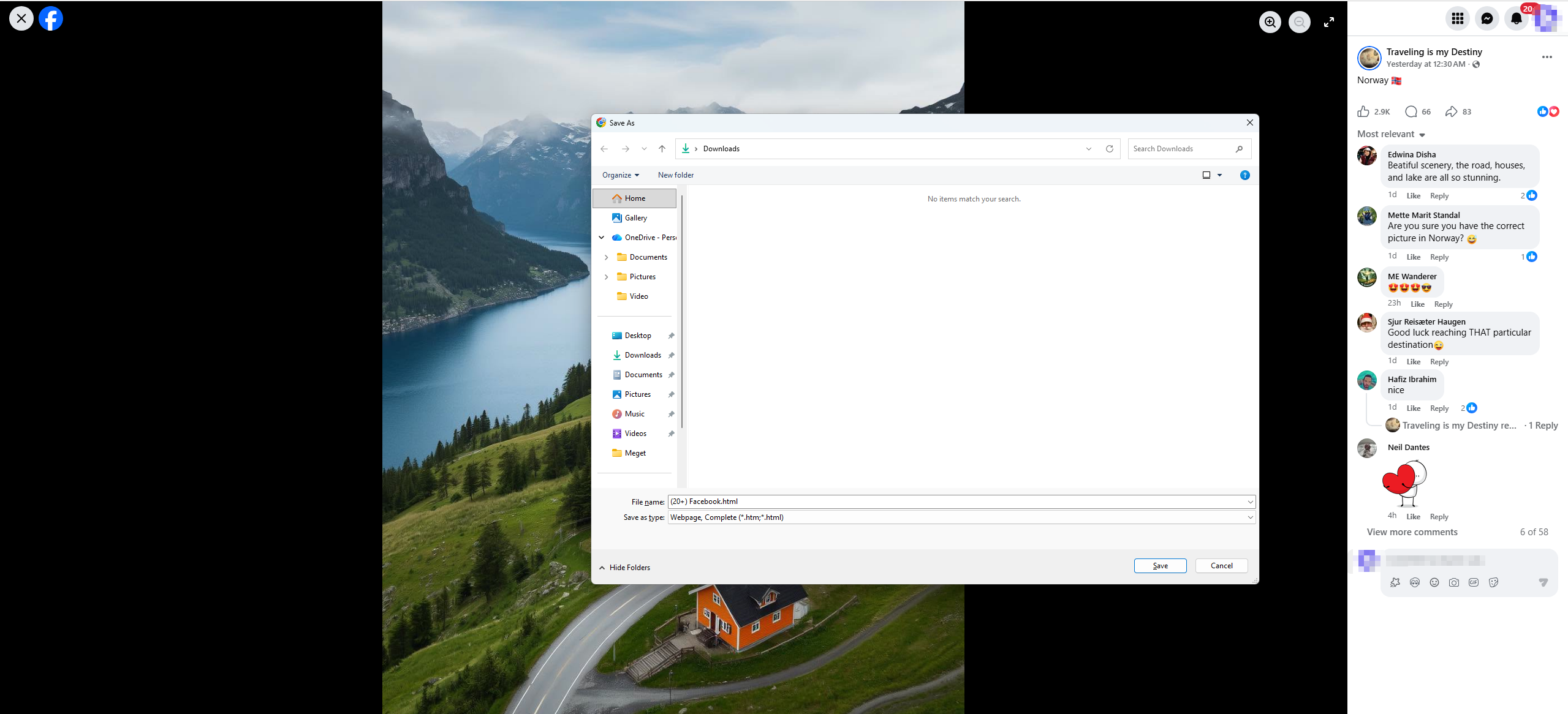
The browser will save an HTML file along with a folder containing associated images and resources.
Pros:
- Completely free.
- Built into all major browsers.
- Quick and easy to use.
- Preserves basic page structure.
Cons:
- Dynamic content may not be saved correctly.
- Facebook’s interactive elements often stop working offline.
- Long pages may not be fully captured.
- Saved files can become disorganized due to multiple resource folders.
This method is suitable for occasional downloads but may not be ideal for preserving complex Facebook pages.
3. Save Facebook Pages as PDF
Saving a Facebook page as a PDF is another popular option, especially when the primary goal is reading or sharing content offline.
Steps:
- Open the Facebook page, then press Ctrl + P (Windows) or Command + P (Mac).
- Choose Save as PDF from the printer options.
- Adjust page settings if needed and click Save.
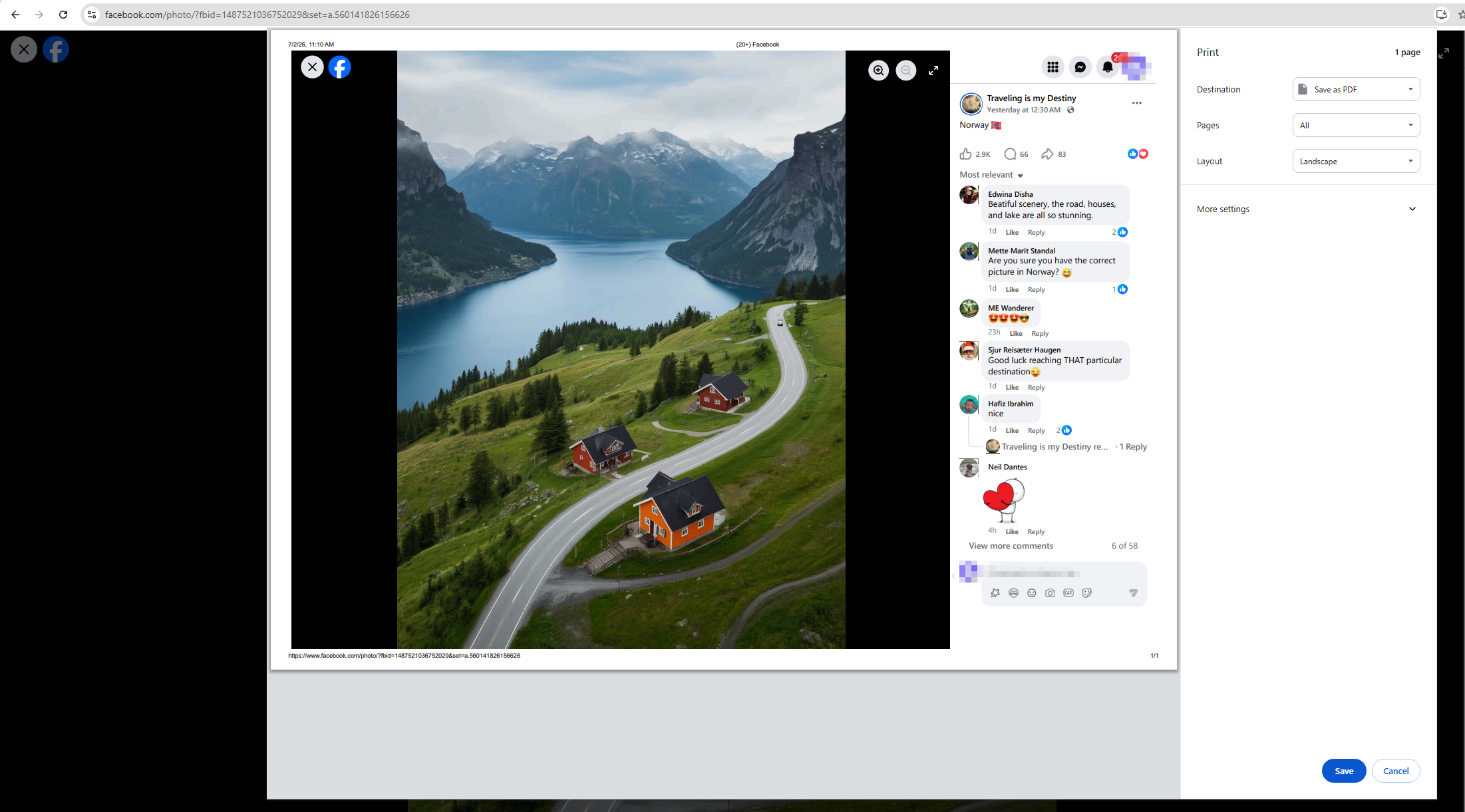
The browser will generate a PDF version of the current page.
Pros:
- Creates a portable file format.
- Easy to share and store.
- Works on virtually any device.
- Suitable for text-heavy content.
Cons:
- Interactive features are lost.
- Long pages may not format correctly.
- Images can appear compressed.
- Videos and embedded media are not preserved.
PDF exports work best when you need a simple document version of a Facebook page.
4. Download Facebook Pages Using Browser Extensions
Browser extensions provide additional functionality for saving Facebook pages and often offer better results than standard browser tools.
Popular page-saving extensions include:
- SingleFile
- Save Page WE
- FireShot
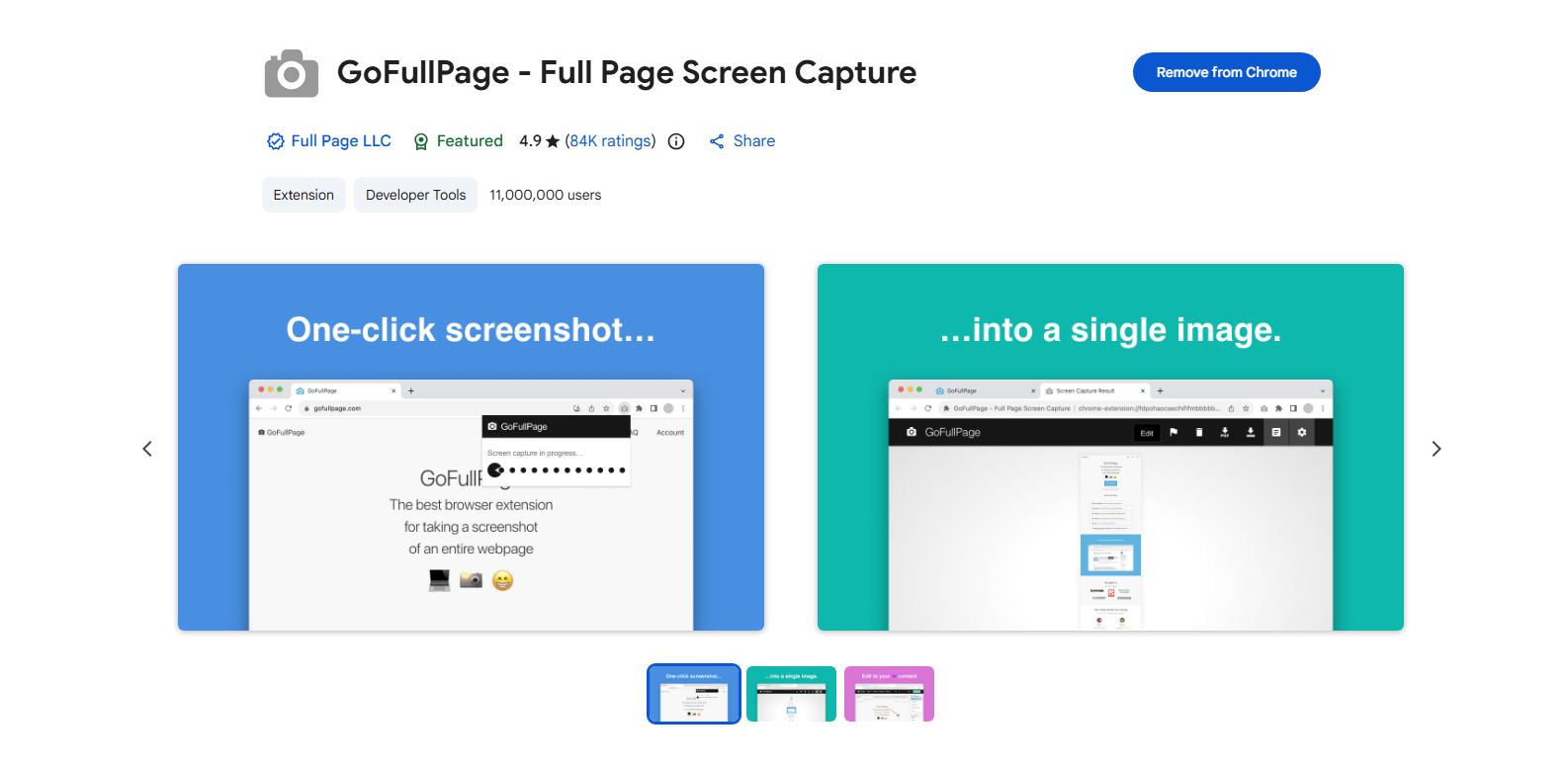
- GoFullPage
How to Use Browser Extensions to download a Facebook page:
- Install a page-saving extension like GoFullPage from your browser’s extension store.
- Open the Facebook page you wish to download and click the extension icon.
- Select the desired export format and save the generated file.
Pros:
- Easy installation and use.
- Better page rendering than browser save functions.
- Supports multiple export formats.
- Some extensions can save complete pages into a single file.
Cons:
- Some features require paid versions.
- Results vary depending on Facebook’s page structure.
- Large pages may cause performance issues.
- Dynamic content may still be missed.
Extensions offer a useful middle ground between manual saving and dedicated software.
5. Capture Full Facebook Page Screenshots
If preserving the visual appearance of a Facebook page is more important than maintaining functionality, full-page screenshots can be an excellent solution.
Modern browsers support capturing entire web pages as images.
Steps in Chrome-Based Browsers:
- Open the Facebook page and press F12 to open Developer Tools.
- Press Ctrl + Shift + P and then type Capture Full Size Screenshot.
- Select the command and wait for the screenshot to be generated.
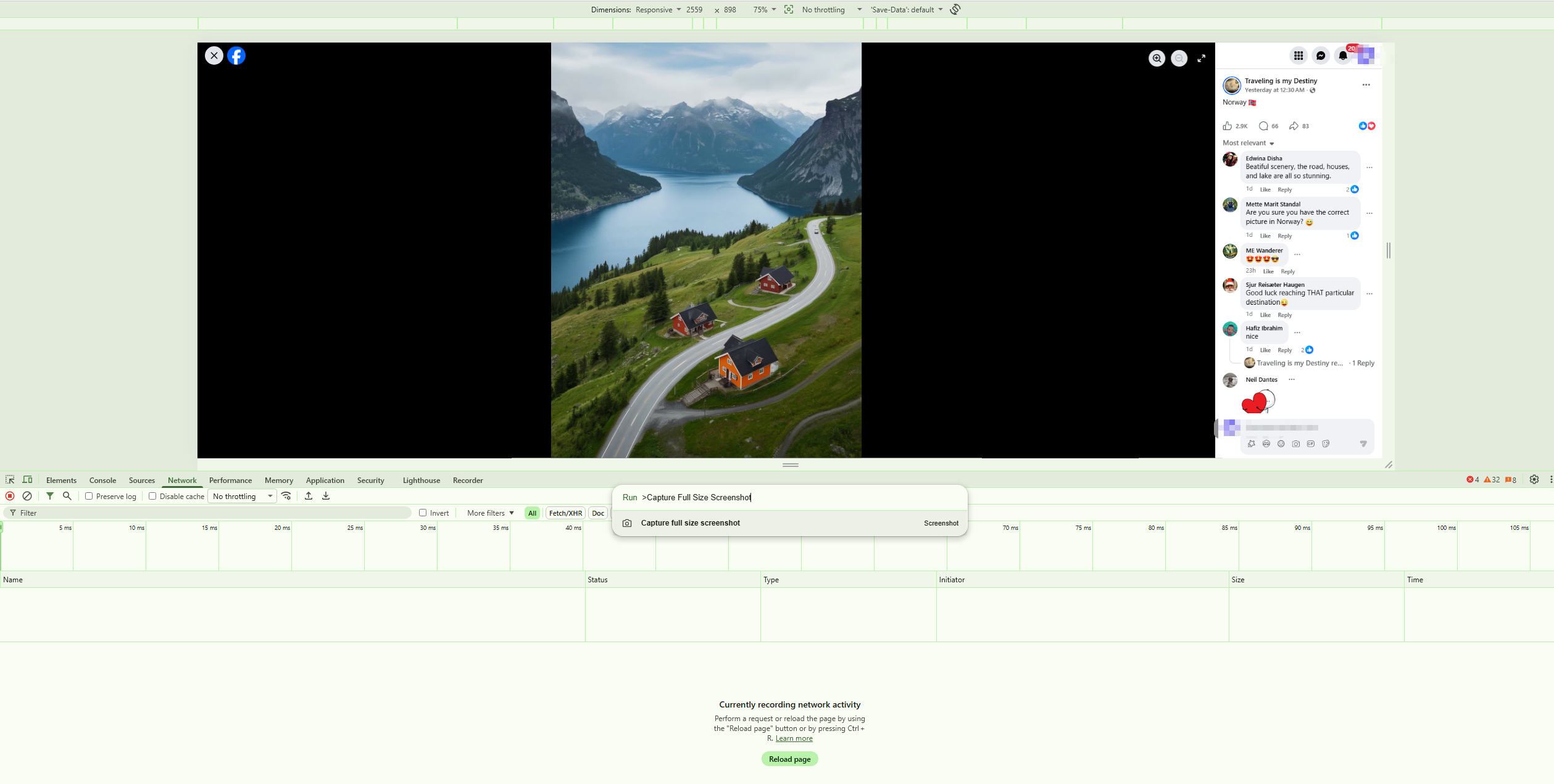
The browser will save a full-length image of the page.
Pros:
- Preserves page appearance exactly.
- Fast and simple.
- Ideal for visual archiving.
- No additional software required.
Cons:
- Generates large image files.
- Text cannot be edited easily.
- Links and videos become non-functional.
- Not ideal for searching or organizing content.
Full-page screenshots are particularly useful for documentation and record-keeping purposes.
6. Conclusion
Downloading Facebook pages can help you save valuable content for offline access, research, or archiving. While methods such as saving pages as HTML, exporting to PDF, using browser extensions, and capturing full-page screenshots can work for basic needs, they often have limitations when handling complex or content-rich Facebook pages.
For a more reliable and efficient solution, PageCat is the recommended choice. With full-page capture, batch processing, Reader Mode for ad-free viewing, content search and folder management, PageCat makes it easy to save and manage Facebook pages exactly as you need.