Best Tools for OnlyFans Mass Downloads in 2026

OnlyFans has grown into one of the leading subscription platforms for exclusive digital content. From educational tutorials and fitness programs to photography, music, and creator-exclusive media, subscribers often want a convenient way to organize the content they’ve already paid to access.
While OnlyFans allows online viewing, managing large collections of videos, photos, and posts for offline reference can be challenging. Manually saving hundreds of files one by one is time-consuming, especially if you follow multiple creators or subscribe to several accounts.
Fortunately, specialized desktop software can streamline the process by detecting media, organizing downloads, and archiving webpages for offline access. Instead of relying on multiple browser extensions, you can use dedicated applications built for different types of content.
In this guide, we’ll introduce best tools for downloading OnlyFans content in 2026. Used together, they provide a comprehensive solution for organizing content you’ve legitimately accessed.
1. Best Tool to Download OnlyFans Videos — VidCat
Video content is one of the biggest reasons users subscribe to creators. Whether it’s workout sessions, tutorials, behind-the-scenes footage, or exclusive clips, having offline access can be convenient when traveling or working without a stable internet connection.
VidCat is designed to simplify video downloading with intelligent media detection and an integrated browsing experience.
Instead of manually searching webpage source code or installing multiple browser add-ons, VidCat automatically detects playable videos while you browse supported websites.
Key features of VidCat:
- Built-in browser supporting over 10,000 websites
- Batch downloading for multiple videos and playlists
- Extract video with original quality options
- Download videos in popular MP4, MP3 and more formats
- Support DRM protected and private videos.
How to use VidCat to download OnlyFans videos:
- Download, install and launch VidCat.
- Open the built-in browser, go to OnlyFans.com and sign in to your OnlyFans account.
- Browse to the creator “Videos” tab, open and play a video.
- VidCat will automatically detect all the videos, click Download to save all the videos for offline viewing.
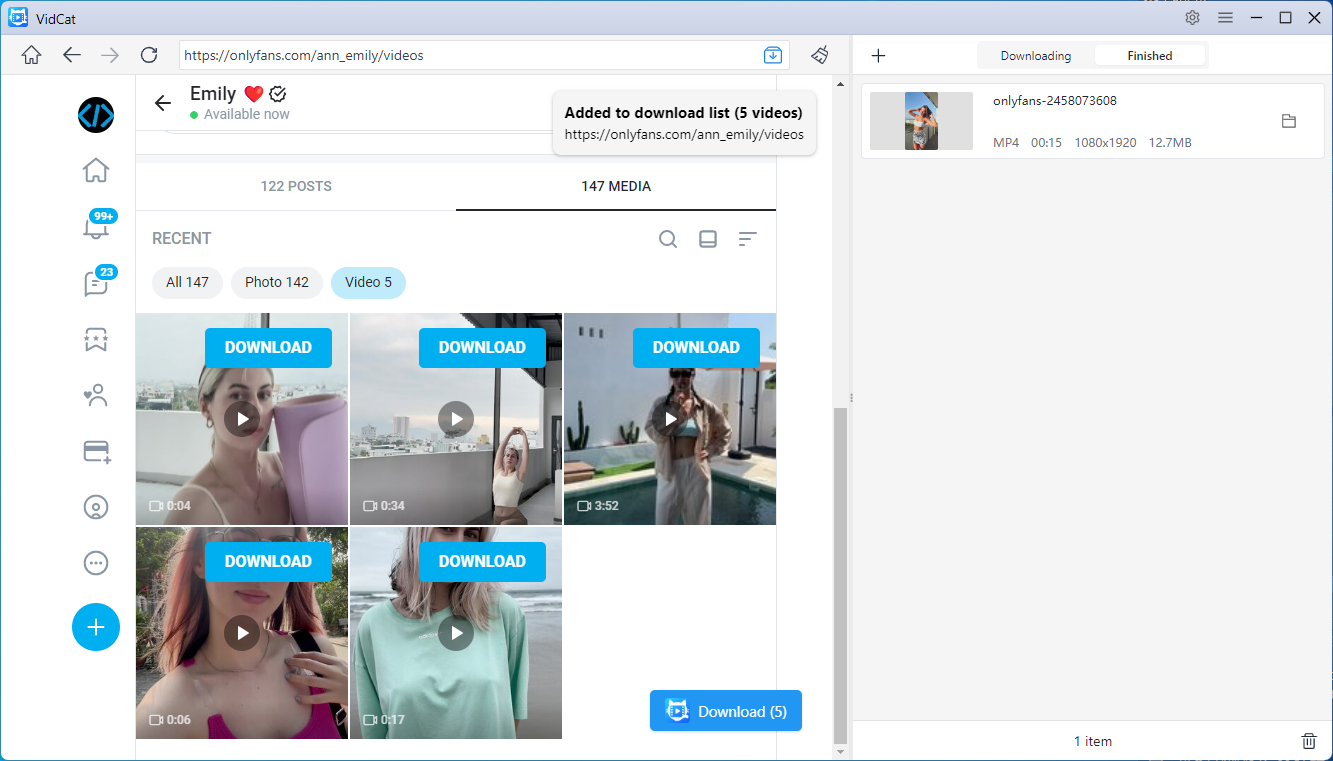
With batch download support, VidCat can help manage larger video libraries more efficiently.
2. Best Tool to Download OnlyFans Photos — PicCat
Creators also frequently publish high-resolution image galleries that can contain dozens or even hundreds of photos. Downloading each image individually quickly becomes tedious.
PicCat is built specifically for image discovery and batch downloading.
Once a webpage loads, PicCat scans it automatically and displays every detected image in an easy-to-browse gallery, allowing you to preview and select only the files you want.
Key features of PicCat:
- Support all photo hosting websites, including OnlyFans
- Extract and display original-resolution photos
- Filter target photos by dimensions and image type
- Batch rename selected photos
- Export phot URLs and original photos in one click
How to use PicCat to download OnlyFans photos:
- Download, install and open PicCat.
- Visit OnlyFans using the built-in browser, then navigate to a photo gallery or creator page.
- Allow PicCat to scan the page and show the detected images.
- Select the photos you wish to save, set output fornat and file folder if needed.
- Click Save all and PicCat will download all photos on your device.
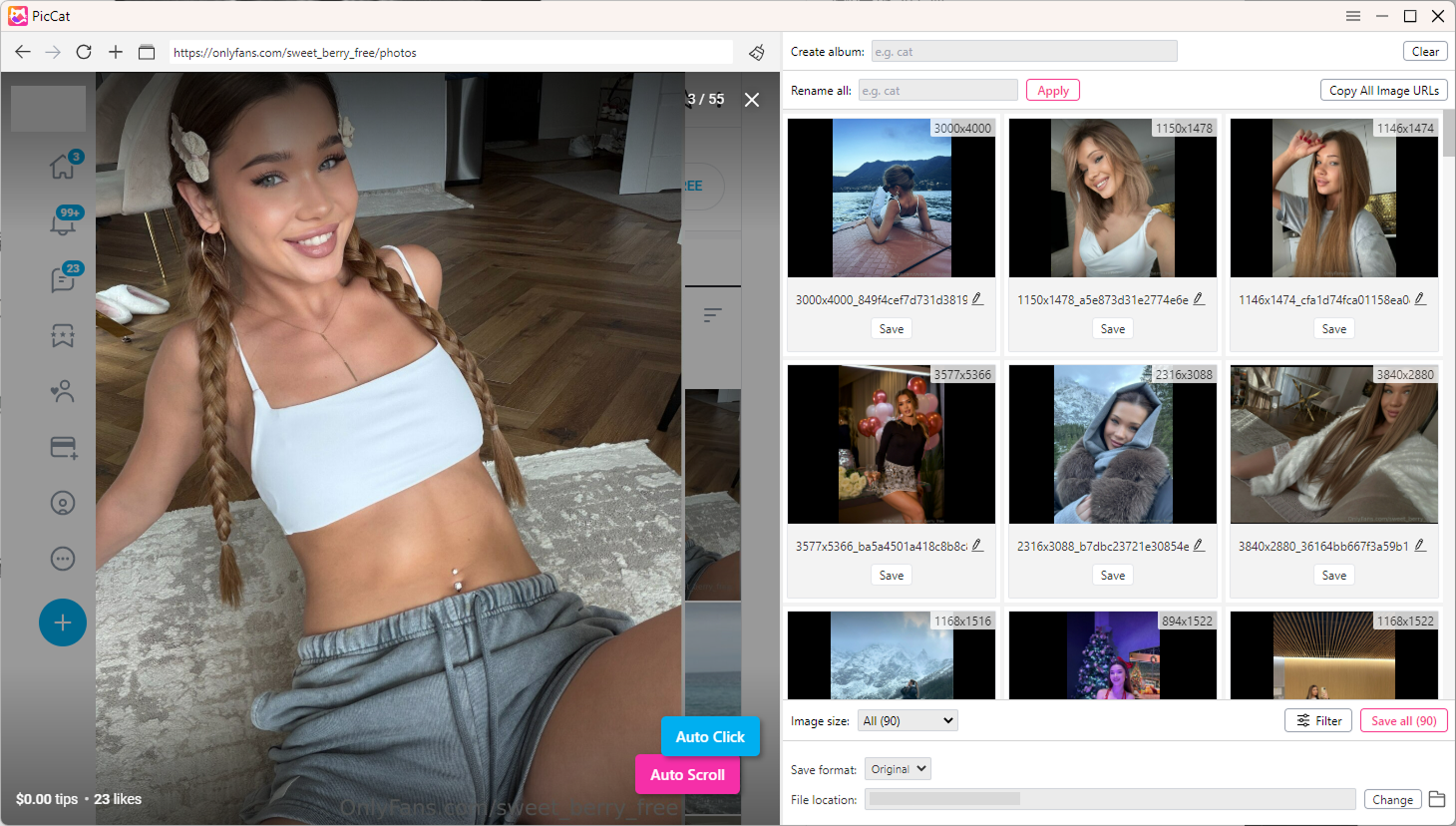
The application downloads all selected images simultaneously, greatly reducing the amount of manual work.
3. Best Tool to Archive OnlyFans Posts — PageCat
Sometimes the most valuable part of a creator’s content isn’t just the media itself but the complete post, including captions, formatting, embedded images, and other contextual information.
PageCat is designed for webpage archiving rather than media downloading alone.
Instead of saving individual files, it preserves an entire webpage so you can revisit it later even if you’re offline.
Key features of PageCat:
- Archive complete webpages as they appear online
- Import multiple URLs to batch archive
- Search and manage archived pages instantly
- Reader View for distraction-free reading
- Highlight important text
- Organize archives into collections
How to use PageCat to download OnlyFans pages:
- Download, set up and launch PageCat.
- Open the PageCat Live Browser, navigate to OnlyFans.con and sign into your OnlyFans account.
- Open the post you want to preserve, then scroll to load full page.
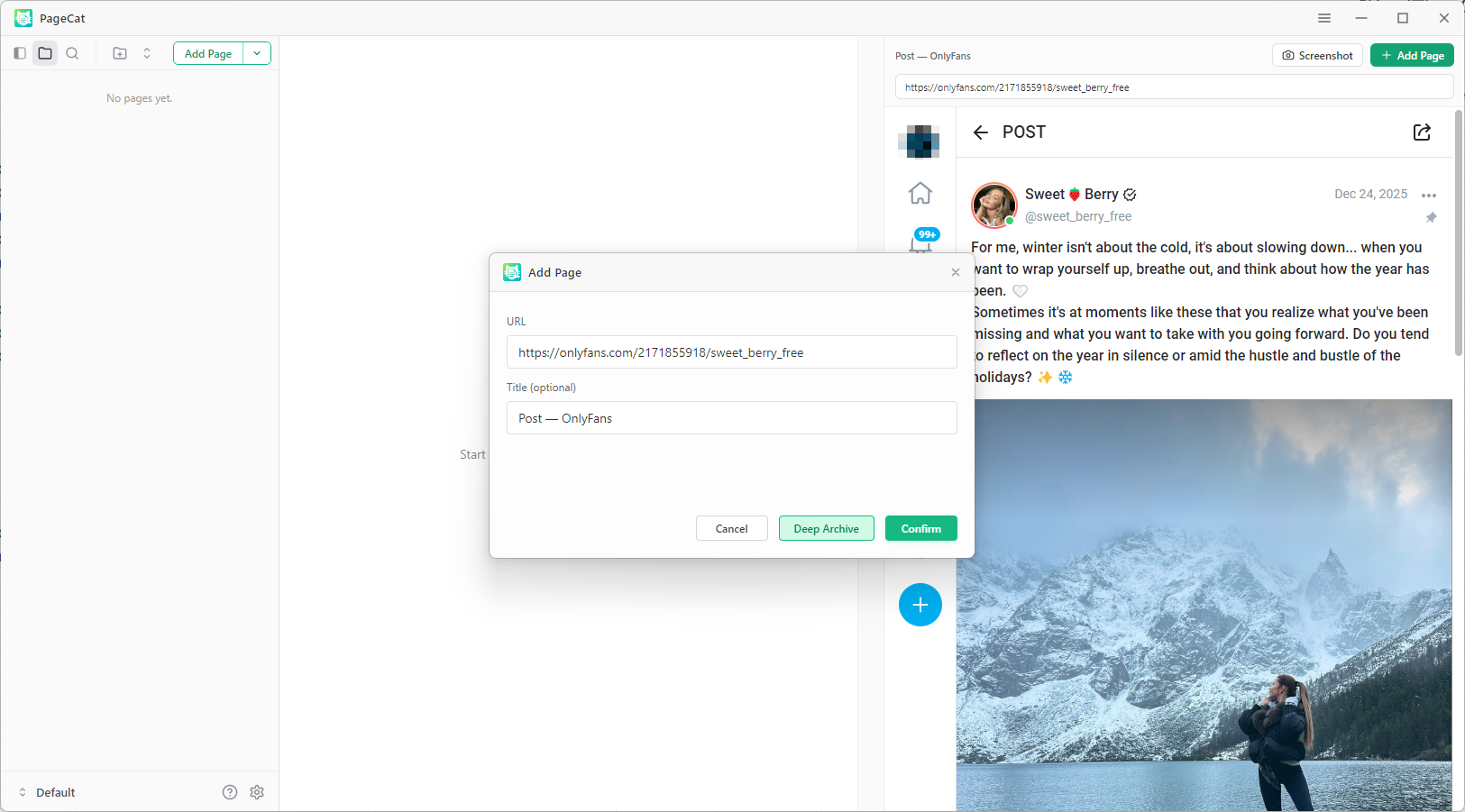
- Click Add Page and choose Deep Archive, then wait for the page to finish saving.
- Access it anytime from your local archive.
4. Grab the VidCat, PicCat and PageCat Bundle Deal
If you frequently manage videos, photos, and complete webpages, purchasing each application separately may not be the most economical choice.
The VidCat + PicCat + PageCat Bundle Deal combines all three desktop applications into one package, giving you dedicated tools for every major type of online content.
The bundle includes:
- VidCat for video downloading
- PicCat for image and gallery downloading
- PageCat for webpage and post archiving
Learn more about the bundle here:
https://www.catparse.com/bundle-deal
5. Conclusion
Managing large collections of online content doesn’t have to be difficult. Instead of relying on multiple browser extensions or manually saving files one by one, dedicated desktop software offers a faster and more organized experience.
VidCat excels at downloading videos with automatic media detection and batch support. PicCat makes collecting large image galleries simple with intelligent scanning, previews, and filtering. PageCat complements both by preserving complete webpages, ensuring that captions, formatting, and context remain available for future reference.
For users who regularly work with different types of content, the CatParse Bundle offers the most complete solution. By combining VidCat, PicCat, and PageCat, you can organize videos, photos, and archived posts in one streamlined workflow while saving both time and money.