Best Tube to MP4 Downloaders That You Should Try in 2026

MP4 is one of the most popular video formats because it offers a good balance between video quality, file size, and compatibility with different devices. If you want to watch videos offline, transfer them to your phone, or keep copies of content you are authorized to save, a Tube to MP4 downloader can make the process easier.
In this guide, we’ll compare the best Tube to MP4 downloaders, explain how to use each type and compare their advantages to help you choose the right solution.
1. Best Recommended Tube to MP4 Downloader – VidCat
VidCat is our recommended option for users who prefer a dedicated desktop solution for downloading supported online videos. Instead of relying on a third-party website each time, you can use a desktop application to manage the downloading process from one place.
Key features of VidCat:
- Batch Downloading: Download multiple videos at once.
- Playlist Downloads: Save entire playlists and channels.
- 8K Video Quality: Download videos in resolutions up to 8K when available.
- Multiple Formats: Convert videos to MP4, MOV, MKV, AVI, and more.
- Subtitle Support: Save subtitles, thumbnails, and video metadata.
- Pause and Resume: Easily manage download tasks.
- Broad OS Support: Works on supported Windows and macOS versions.
Steps using VidCat to download and convert Tube to MP4:
- Download and install the compatible version of VidCat on your Windows or Mac computer, then launch the program to set download options like MP4 format and 1080p resolution.
- Copy the links all the Tube videos you want to download, and paste them into VidCat.
- VidCat will analyze the links and start the downloads.
- Find all the downloaded Tube videos under the “Finished” tab when the process is done.

2. Best Tube to MP4 Online Downloaders
Online Tube to MP4 downloaders work through a web browser, allowing users to process supported video links without installing a dedicated desktop application. They are particularly useful for occasional downloads or when you want a quick solution.
Popular Choices:
- Cobalt: A minimalist online downloader for supported media links, though platform compatibility varies.
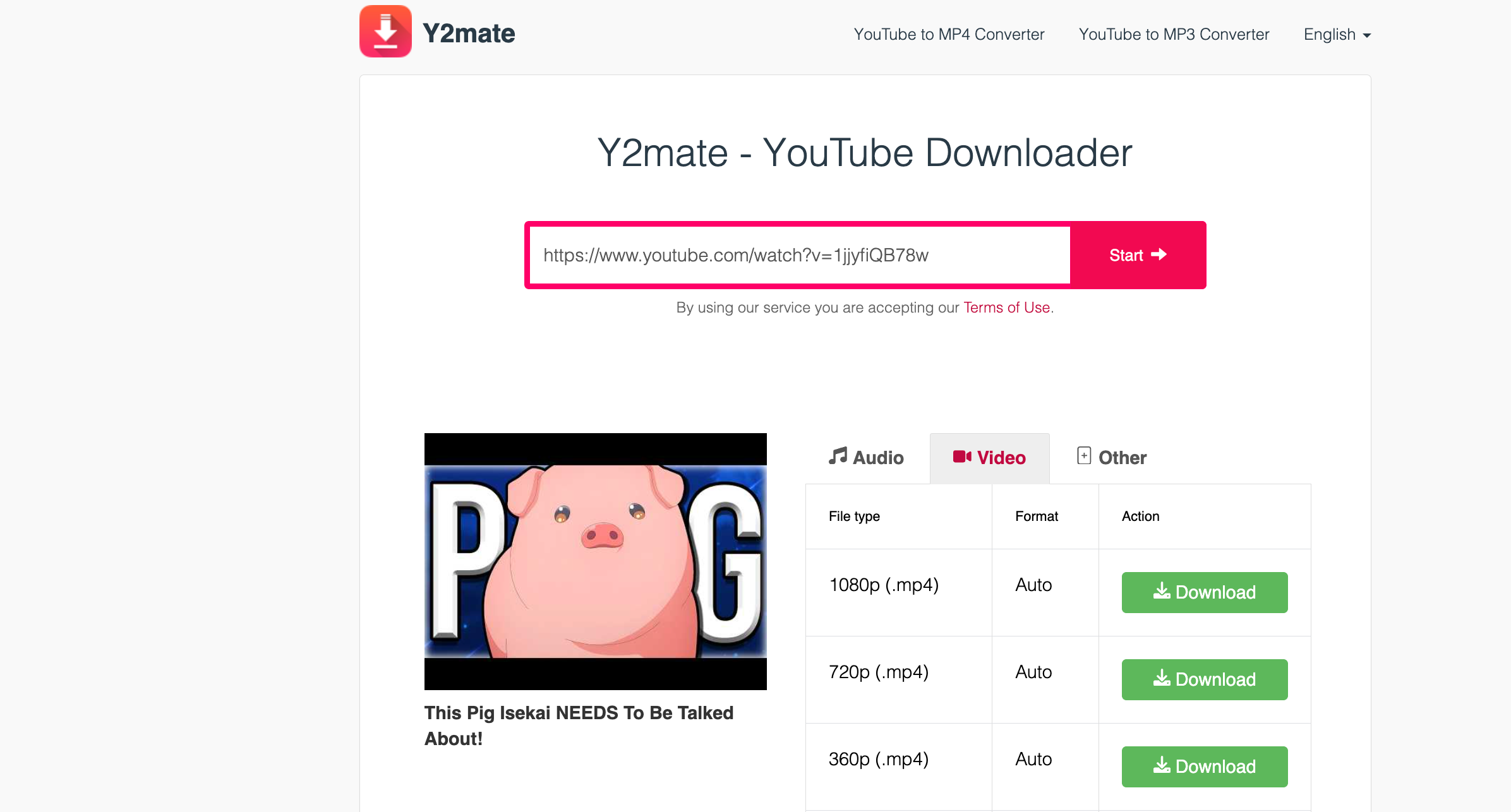
- Y2Mate: A browser-based video converter with a simple URL workflow, but ads and availability may vary.
- YTConvert: An online video conversion option; check its current website support, features, and security before use.
How to Download / Export Tube to MP4 with an Online Downloader:
- Get the URL of your preferred Tube video, visit Y2Mate’s website, and paste the copied link into the provided input area.
- Click the download or convert button and wait for Y2Mate to analyze the video URL.
- Select MP4 and your preferred resolution, if available, then save the file to your device.
Pros:
- No desktop software installation required.
- Accessible through compatible web browsers.
- Convenient for occasional video downloads.
Cons:
- Website compatibility and download quality can vary.
- Advertisements and misleading download buttons may pose security risks.
- Some services impose file size, speed, or usage limitations.
3. Best Tube to MP4 Downloader Extensions
Browser extensions provide another way to download supported online videos. After installation, they may detect downloadable media on compatible webpages and display available options through the browser toolbar.
Popular Choices:
- Video DownloadHelper: Detects and downloads supported online videos, though some features may require additional setup.
- CocoCut Video Downloader: Detects downloadable videos on supported webpages through a browser-integrated interface.
- FetchV: Detects and downloads certain online videos, depending on website and format compatibility.
How to Download / Export Tube to MP4 with an Video Downloader Extension:
- Find your preferred extension (like Video DownloadHelper) in your browser’s official extension store and install it.
- Access the Tube webpage where the video is hosted and play it in your browser.
- Click the extension icon in the browser toolbar and check whether it detects the video.
- Select an available download option and choose MP4 if supported. Save the file and check that it plays correctly.

Pros:
- Convenient access through the browser toolbar.
- Can detect supported media directly on webpages.
- May reduce the need to switch between websites and applications.
Cons:
- Not compatible with every video platform or format.
- Some features may require additional setup.
- Extensions can request sensitive browser permissions, making careful selection important.
4. Comparison of the Best Tube to MP4 Downloaders
| Downloader Type | Best For | Advantages | Limitations |
|---|---|---|---|
| VidCat | Frequent downloads | Dedicated desktop interface and centralized workflow | Requires installation; verify current features |
| Online Downloaders | Occasional downloads | No desktop installation and quick browser access | Compatibility, quality, and reliability may vary |
| Downloader Extensions | Downloads while browsing | Browser integration and convenient media detection | Website restrictions and browser permissions may limit use |
5. Conclusion
The best Tube to MP4 downloader in 2026 depends on your needs. Online tools such as Cobalt, Y2Mate, and YTConvert offer convenient browser-based downloads, while extensions like Video DownloadHelper, CocoCut, and FetchV let you download supported videos directly from webpages. However, their compatibility and available features may differ.
Overall, we recommend VidCat as the first option to consider for regular video downloads, since its dedicated desktop workflow can be more convenient than repeatedly using online converters or relying on browser extensions.