How to Download All Videos and Pictures from Bunkr Albums?

Bunkr albums can contain a large collection of videos, pictures, and other media files. When you only need one or two files, downloading them individually is relatively simple. However, saving an entire album can quickly become frustrating because manually opening and downloading every file takes considerable time and effort.
Fortunately, several tools can help you download multiple Bunkr videos and pictures more efficiently. In this guide, we’ll explain how to download all videos and pictures from Bunkr albums using three different approaches, and recommend the best options.
1. How to Download All Videos from Bunkr Albums?
If an album contains many videos, manually downloading each one can take a considerable amount of time. Here are three ways to simplify the process.
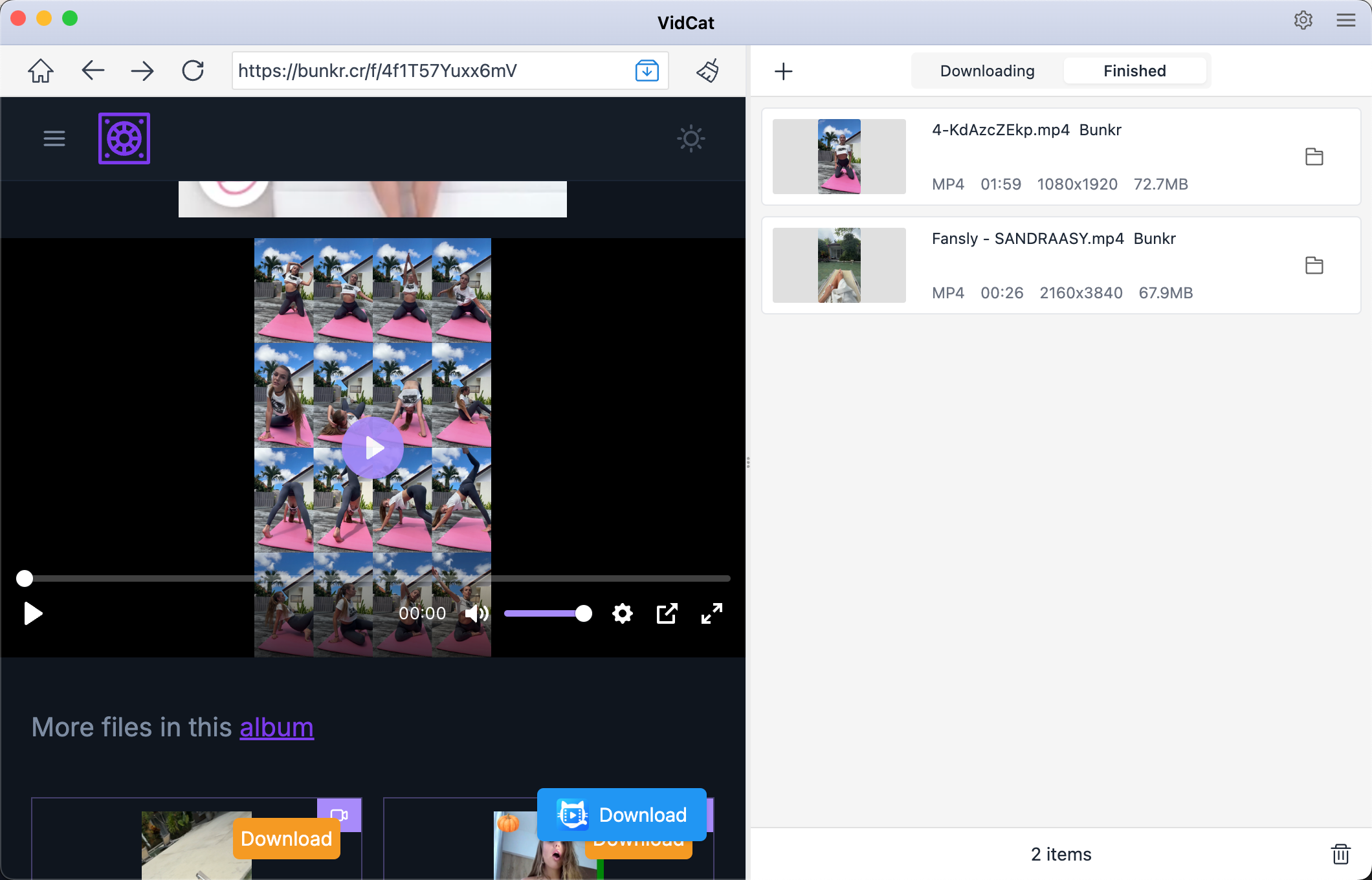
1.1 Best Recommended Bunkr Video Downloader – VidCat
VidCat is the recommended option if your primary goal is downloading multiple Bunkr videos efficiently. A dedicated downloader can provide a more centralized workflow than repeatedly opening individual video pages.
VidCat can be useful for:
- Downloading multiple Bunkr videos in a batch.
- Download from a Bunkr page or multiple Bunkr video URLs.
- Extract Bunkr videos in up to 8K quality.
- Output Bunkr videos in popular MP4 and more formats.
How to download all Bunkr videos with VidCat:
- Download VidCat from official site, set up and launch it, then set preferred download options.
- Open the Bunkr album containing the videos inside VidCat, then play the video to begin the download and allow VidCat to process the queue.
- Repeat the process for more Bunkr videos to build your Bunkr video collections.
1.2 Download Bunkr Videos Using Video Downloader Extensions
Browser extensions are another convenient option to download videos from a Bunkr page. Popular choices include Video Downloader MPMux and Video Downloader Professional, which are commonly used to detect downloadable media on webpages. A Bunkr-focused tutorial also lists these extensions as possible approaches for Bunkr video downloads.
Steps:
- Install a reputable video downloader extension compatible with your browser, e.g. Video Downloader MPMux.
- Open the Bunkr album and allow the page and videos to load.
- Click the extension’s icon and review the detected media files.
- Select the video you want to save and start the download.
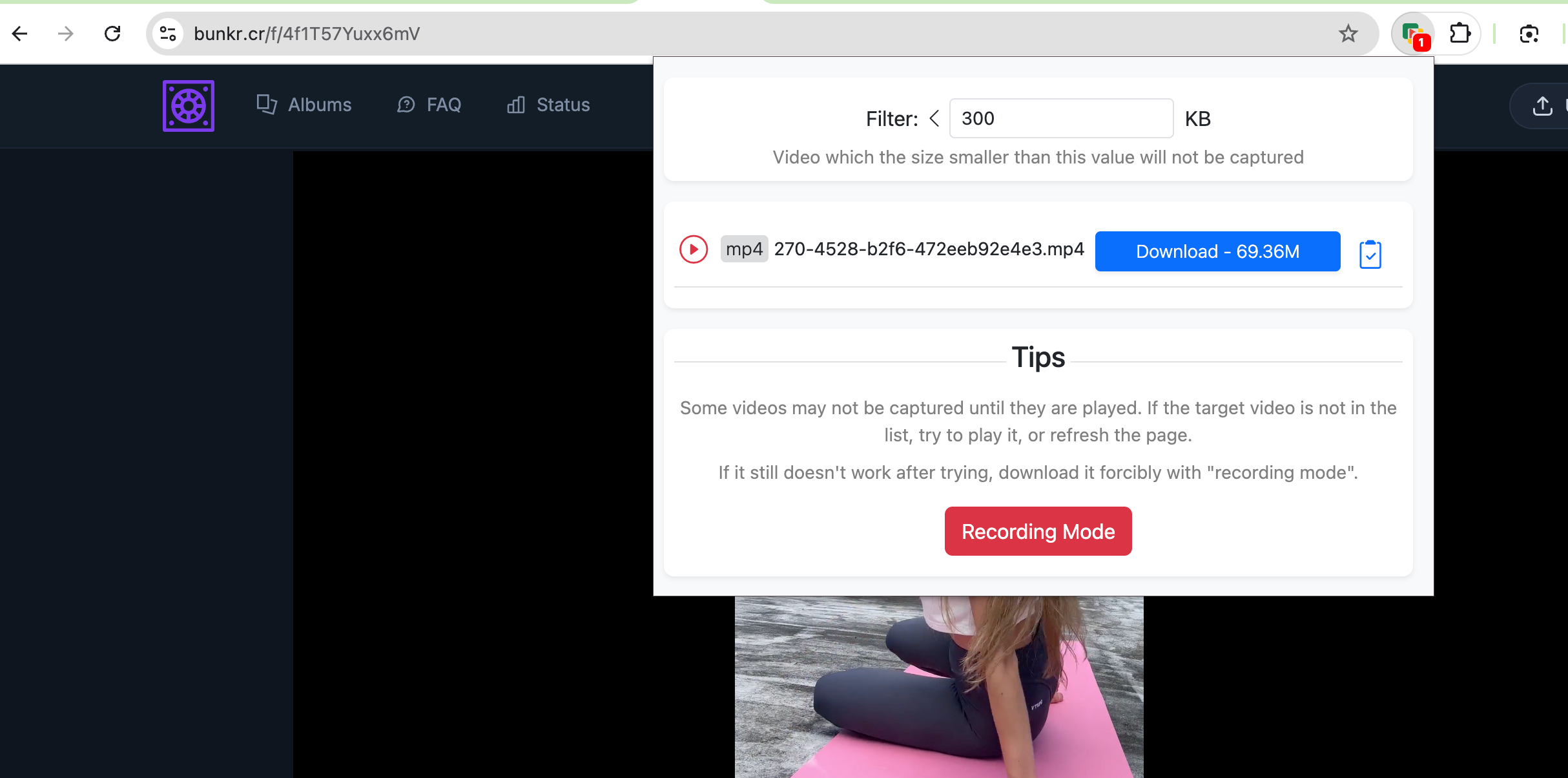
The main advantage is convenience: everything happens inside the browser. The downside is that extensions don’t necessarily detect every video, particularly when media is dynamically loaded or delivered through a system the extension cannot interpret.
1.3 Download Bunkr Videos Using an Online Bunkr Video Downloader
An online downloader can be useful if you don’t want to install software. Services such as FileGrab support for Bunkr album URLs and describe a workflow in which users paste a Bunkr URL to obtain downloadable links.
Steps:
- Open the Bunkr album or video page and copy its URL.
- Head to an online Bunkr downloader like filegrab.net and drop the copied URL into its download field.
- Click the download or analyze button and wait for the service to identify available files.
- Select the desired video and save Bunkr video to your computer.
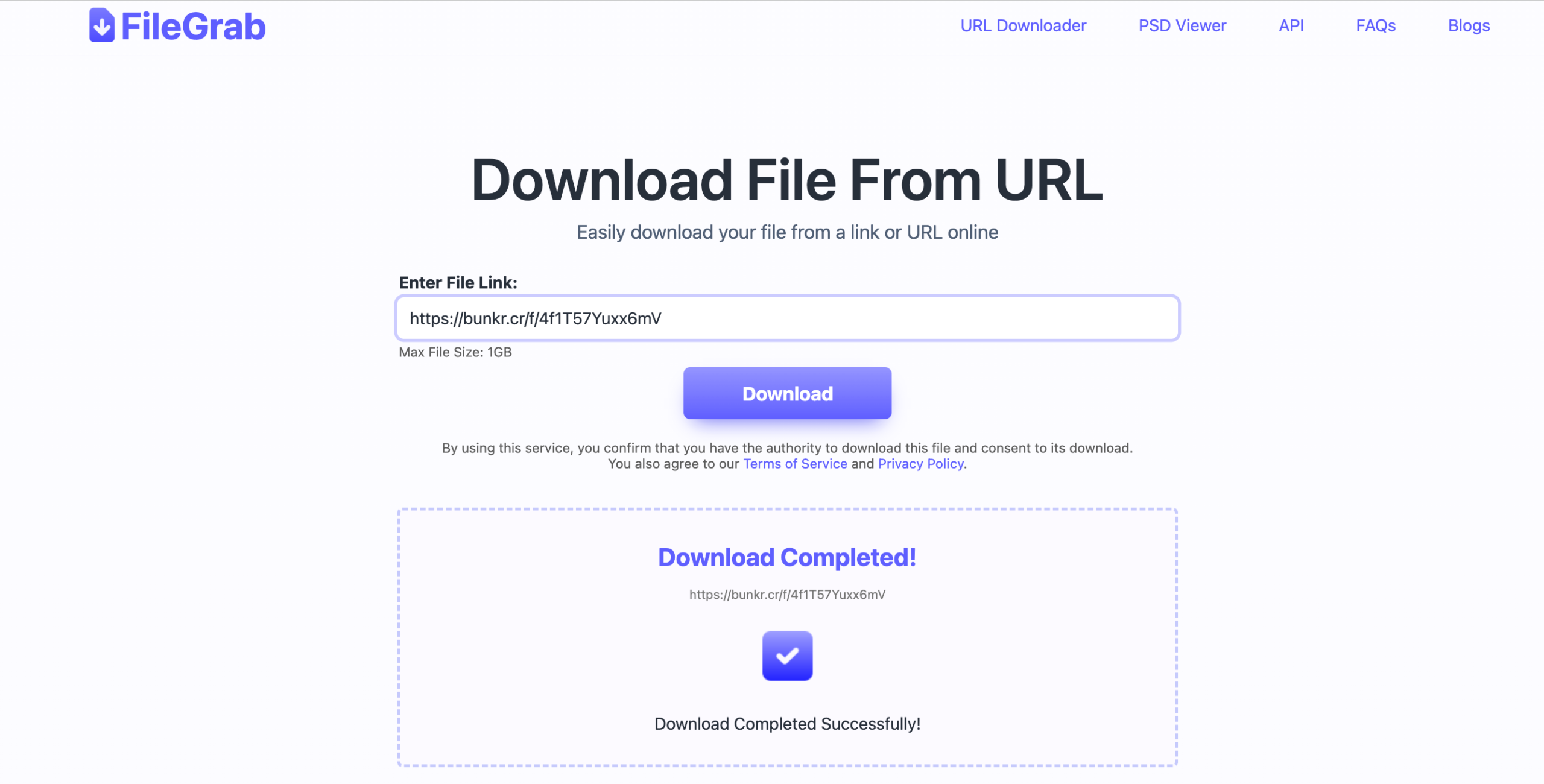
Online tools are convenient for occasional downloads, but they may impose file, traffic, or batch-size limitations. Their compatibility can also change when Bunkr changes its infrastructure.
2. How to Download All Pictures from Bunkr Albums?
Downloading hundreds of pictures manually can be even more tedious than downloading videos. A bulk image downloader can scan a webpage and present multiple images for selection.
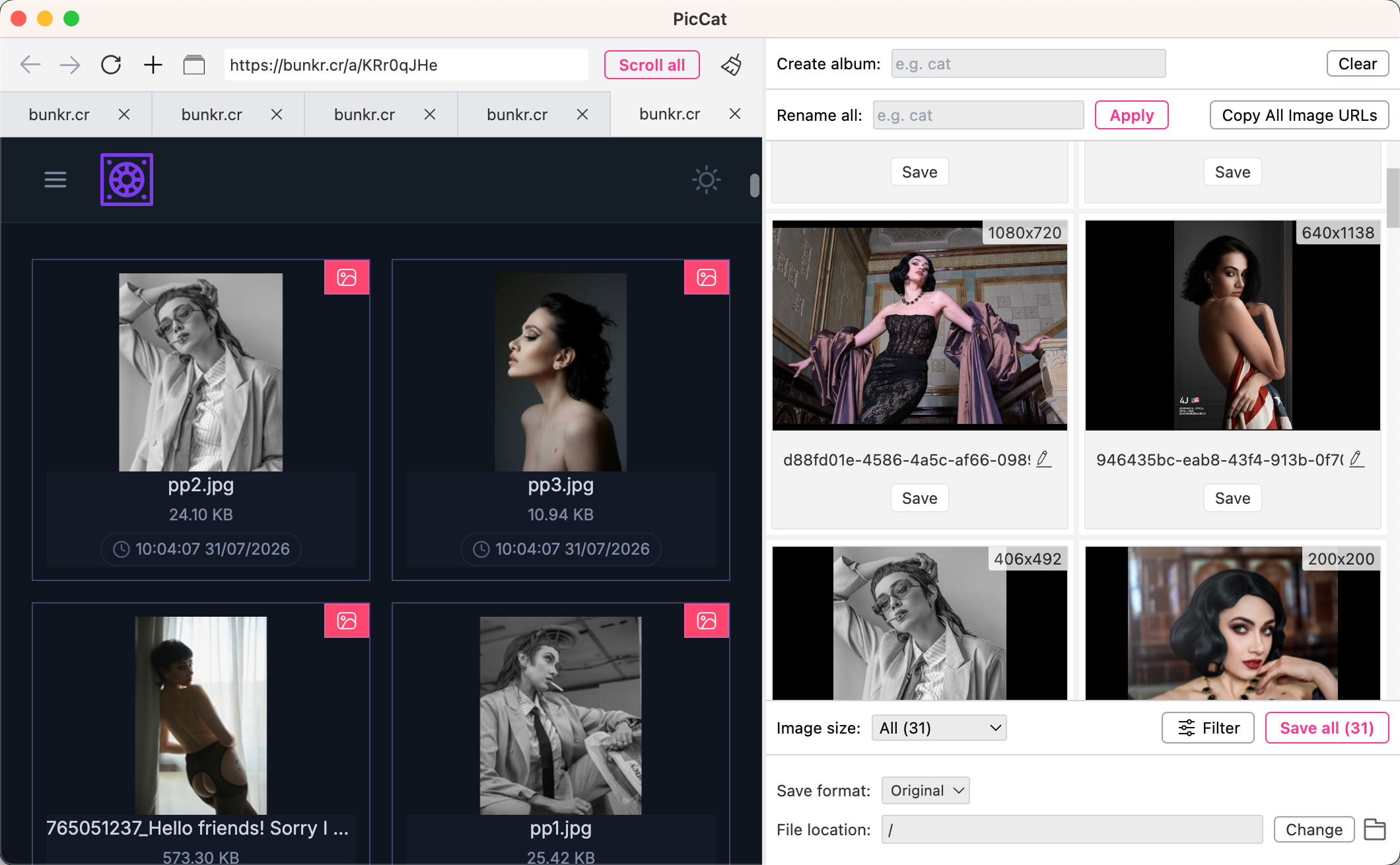
2.1 Best Recommended Bunkr Picture Downloader – PicCat
For Bunkr picture collections, PicCat is the recommended choice. Its main advantage is a workflow designed around finding and downloading multiple images rather than saving pictures one by one.
PicCat can be useful for:
- Support all image hosting websites, including Bunkr.
- Extract all pictures from the Bunkr page in original quality.
- Filter desired Bunkr pictures by size and type.
- Bulk download selected pictures in popular PNG/JPG/WebP or original format.
How to download all Bunkr pictures with PicCat:
- Get PicCat installed on your computer and start it.
- Visit the Bunkr album within PicCat, scroll the page to allow PicCat to analyze the webpage and identify available images.
- Choose individual images or select the entire collection if you want to download everything.
- Begin the bulk download and wait for PicCat to finish processing the selected pictures.
2.2 Downlod Bunkr Pictures Using Image Downloader Extensions
Browser extensions are another straightforward solution for collecting images. Popular choices include Image Downloader HImage and Bulk Image Downloader.
Steps:
- Install an image downloader extension like HImage.
- Open the Bunkr album, scroll through the album and allow the images to load.
- Click the extension and let it scan the current webpage.
- Select the images you want and download them to your chosen folder.
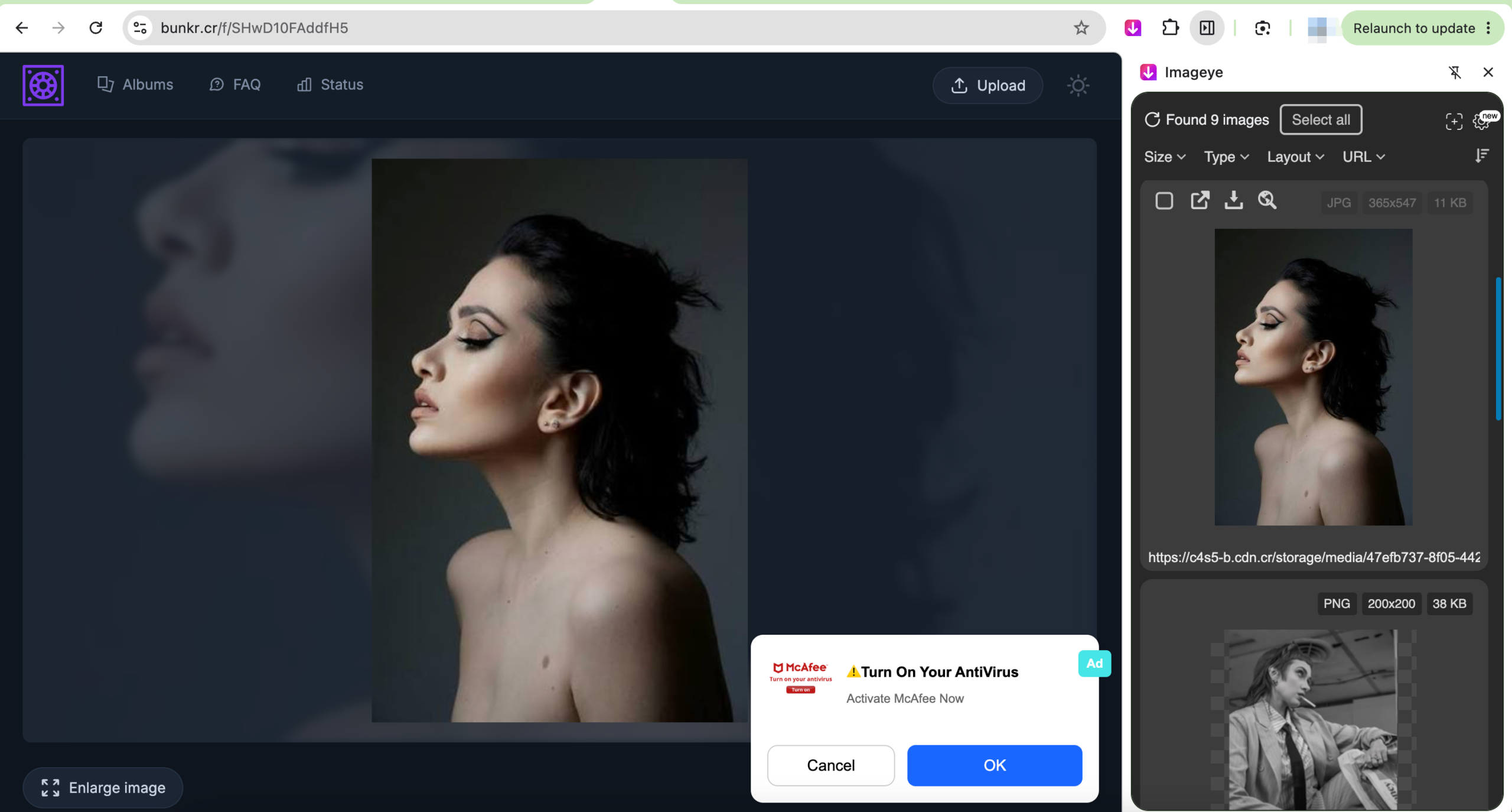
One limitation is that some extensions only retrieve images currently displayed on the page. As a result, they may detect thumbnails rather than original files. Chrome’s Image Downloader documentation specifically warns that downloaded images can sometimes be smaller versions of the originals.
2.3 Download Bunkr Pictures Using an Online Image Downloader
If you only need to download pictures occasionally, an online image downloader can eliminate the need to install an extension or desktop application.
Services such as Image Extractor and IMGDownloader advertise online image downloading by allowing users to paste a supported media URL into their website.
Steps:
- Copy the Bunkr image or album URL, then open a compatible online image downloader like extract.pics and paste the URL.
- Click the site’s download or analyze button and wait for the images to be detected.
- Select the desired pictures and download the results.
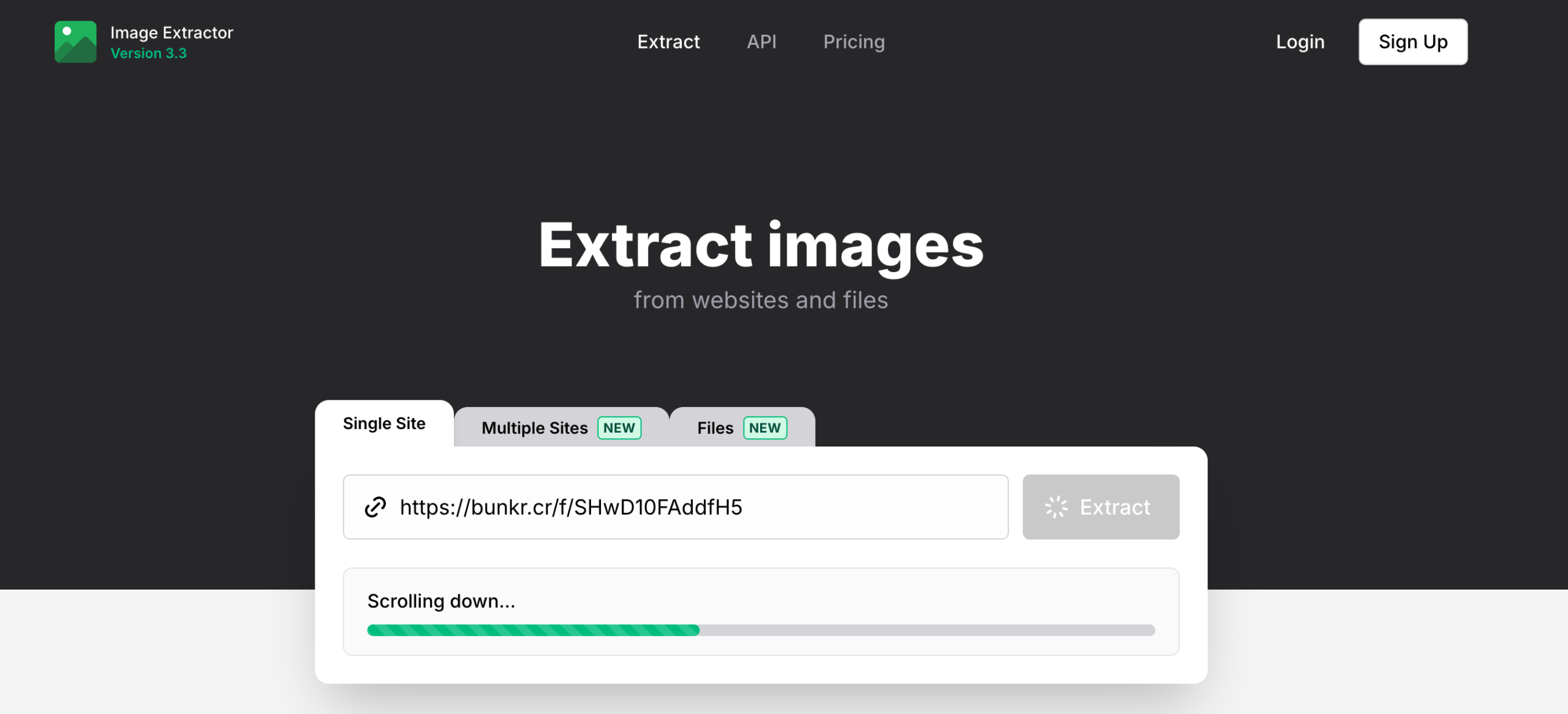
Online services are convenient, but support for complete Bunkr albums can vary. If an online tool only accepts individual image URLs, you’ll need to process files separately, which defeats much of the purpose of bulk downloading.
3. Conclusion
Downloading all videos and pictures from a Bunkr album can save considerable time when you use the right tool. Browser extensions are convenient for smaller collections, while online downloaders are useful for occasional tasks without requiring software installation.
However, if you frequently download complete albums, VidCat and PicCat are the recommended choices. VidCat provides a dedicated workflow for handling multiple Bunkr videos, while PicCat is better suited to managing large collections of pictures. Dedicated tools can make bulk downloading more organized and reduce the repetitive work involved in saving files individually.