The Ultimate Guide on How to Download Fansly Content Easily

As digital content continues to expand, managing and organizing media collections has become an essential part of maintaining a smooth online workflow. Fansly users may accumulate a wide range of videos, images, and page-based content over time, making it increasingly difficult to keep everything organized through manual methods.
Whether you are a creator backing up your own work or managing content you have permission to save, having the right tools can make the process faster and more efficient. Instead of handling files individually, specialized solutions can help streamline media organization, improve accessibility, and create a more structured archive.
In this guide, we will explore how to download Fansly content using difffenet tools, including solutions for organizing videos, images, and webpage-based content more efficiently.
1. Bulk Download Fansly Videos with VidCat
Videos are often one of the largest components of a Fansly digital content library. As collections grow, manually managing numerous video files can become time-consuming and challenging, especially when users need to sort, organize, and create backups of their media.
VidCat is designed to make video management easier by offering an efficient solution for downloading, organizing, and maintaining video collections.
Main Features of VidCat:
- Bulk download multiple Fansly video files efficiently.
- Work with almost popular video platforms, including Fansly and OnlyFans.
- Built-in browser to visit subscribed creator pages.
- Extract and download videos in their original quality.
- Convert downloaded videos in popular MP4/MP3 and more formats.
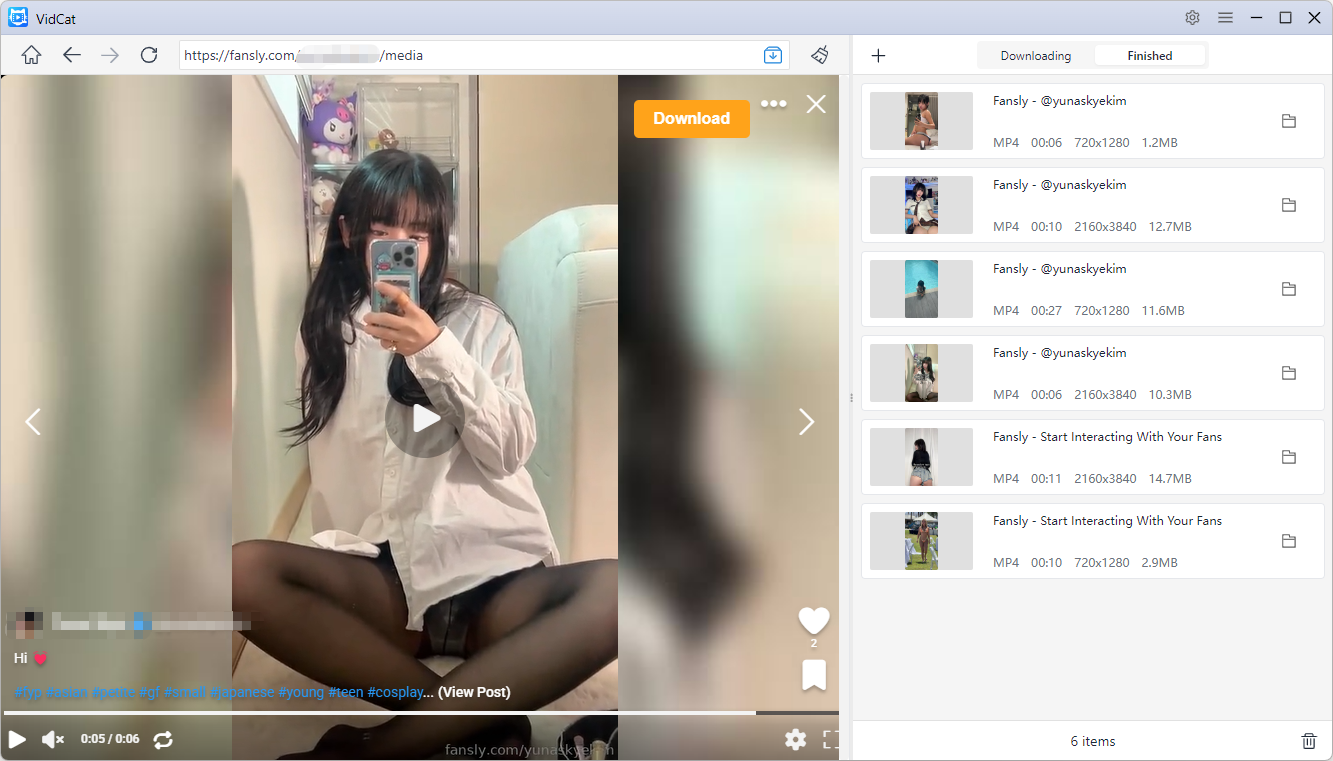
How to download Fansly videos with VidCat:
- Install and open VidCat on your Windows or Mac device.
- Configure your preferred download settings, including video quality, format, and save location.
- Open Fansly within VidCat, access the creator page, go to the Videos section, and locate and play any video.
- VidCat will detect available videos on the page, allowing you to download multiple videos efficiently by clicking the Download button.
2. Bulk Download Fansly Images with PicCat
Images are another major part of digital content collections. Over time, photo libraries can become difficult to manage without a proper organization system. A dedicated image management tool can help users maintain a cleaner and more accessible archive.
PicCat is designed for organizing image collections and simplifying the process of managing large numbers of image files. It helps users create structured galleries and maintain better control over their visual content.
Key features of PicCat:
- Bulk image download: Save multiple images efficiently.
- Original quality extraction: Keep images in their original quality.
- Image filtering: Find and select specific images easily.
- Batch renaming: Rename multiple chosen images at once.
- Copy image URLs: Quickly copy image links for easy access.
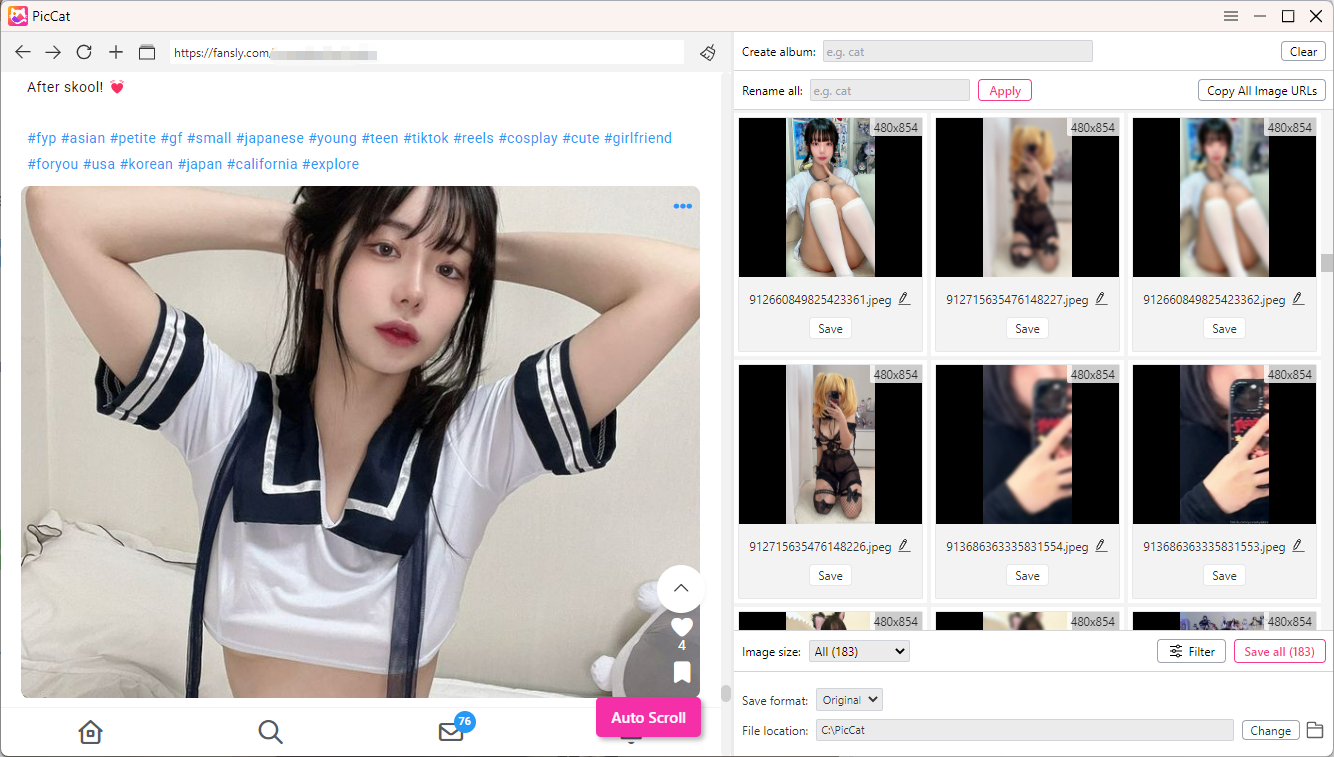
How to Download Fansly Images with PicCat:
- Set up and launch PicCat on your Windows or Mac device.
- Open Fansly within PicCat, navigate to the creator page, and find the image posts or galleries you want to manage.
- Let PicCat automatically scroll and detect available images, then filter images by size and type.
- Set output format and file location, then download selected creator images in one click.
3. Bulk Save Fansly Pages with PageCat
Besides videos and images, webpage content can also be an important part of a digital archive. Fansly pages may include posts, descriptions, captions, and other information that provides context for saved media. Keeping this information organized alongside related files helps create a more complete collection.
PageCat is designed to help users save and manage webpage-based content efficiently. It provides a convenient solution for organizing pages, preserving important information, and maintaining a structured archive.
Main Features of PageCat:
- Bulk page archiving: Import URL lists to save multiple webpage contents efficiently.
- Wide website support: Archive content from various websites and online pages.
- Built-in browser: Access private and subscribed pages conveniently.
- Easy page management: Search and organize archived content quickly.
- Reader tools: Enjoy highlight and reader view features for better content review.
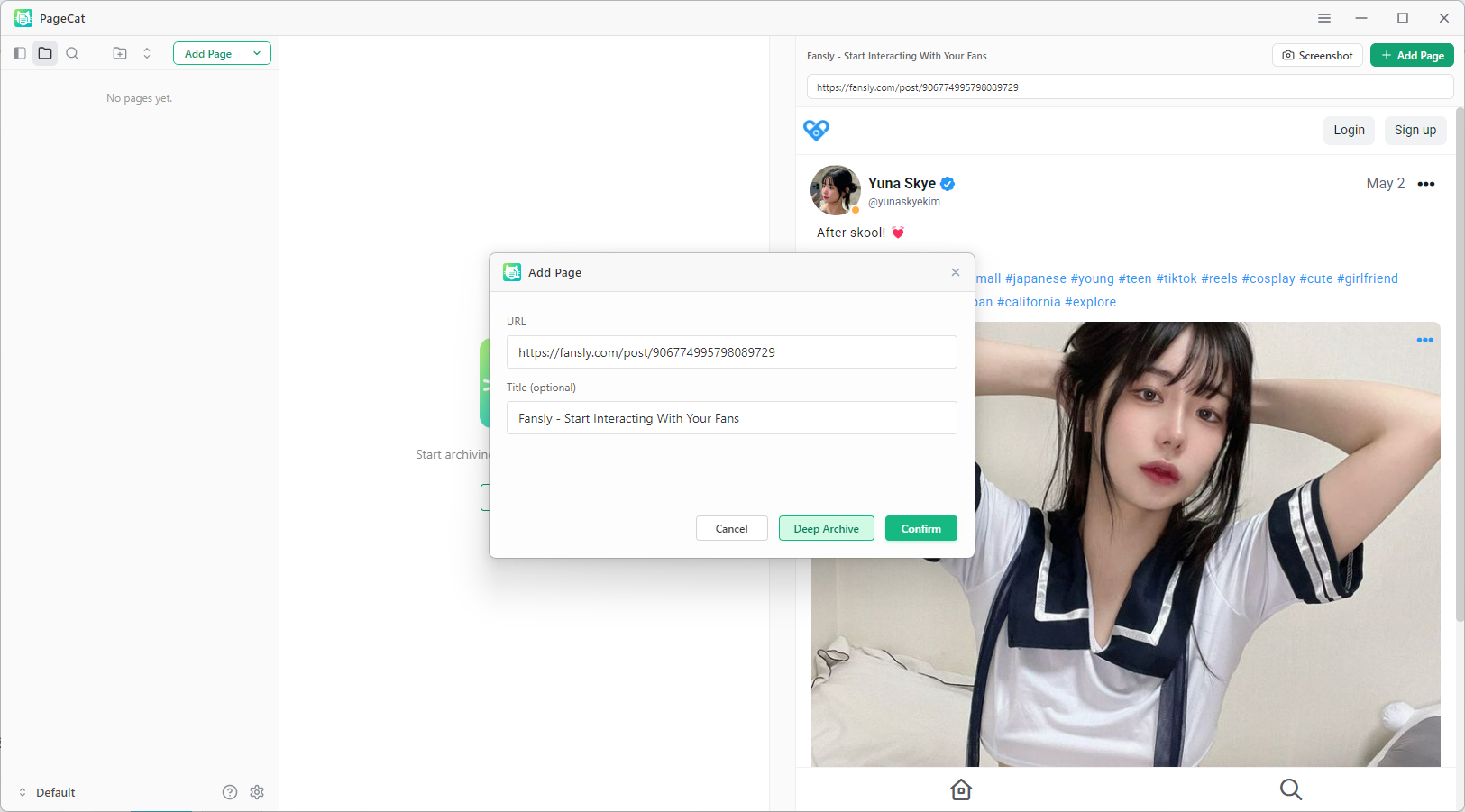
How to Save Fansly Pages with PageCat:
- Install and launch PageCat on your Windows or Mac device.
- Open Fansly in PageCat’s live browser and navigate to the pages you want to preserve.
- Scroll too load the full page and start the saving process.
- PageCat will organize and store the selected pages for easier access and future reference.
4. Conclusion
Managing a growing Fansly content library can become challenging without the right organization system. As collections expand, manually handling videos, images, and webpage content can take significant time and effort. Using specialized tools can help simplify the process, improve accessibility, and create a more efficient digital workflow.
VidCat, PicCat, and PageCat each focus on different aspects of content management. VidCat provides an effective solution for organizing video collections, PicCat helps manage image libraries, and PageCat makes it easier to preserve webpage-based content.
By combining these tools with proper file organization habits, users can create a structured and manageable archive of their authorized digital content. A well-organized media library not only saves time but also makes it easier to access and maintain valuable content whenever needed.