The Full List of Top RedGIFs Downloaders for Videos, GIFs, and Images

RedGIFs is a popular platform for short-form videos and GIF-style content. While browsing and streaming clips is easy, saving media for offline use can be less straightforward. In many cases, users need dedicated tools to save videos and images to their devices.
In this guide, we’ll cover the top RedGIFs downloaders for videos, GIF-style clips, and images, including desktop software, browser extensions, and online downloaders.
1. Top RedGIFs Downloaders to Download Videos to MP4
If you want to save RedGIFs videos, MP4 is one of the most convenient formats. MP4 works with most computers, smartphones, tablets, and media players, making it easy to store and watch downloaded clips.
1.1 Best Recommended RedGIFs Video Downloader: VidCat
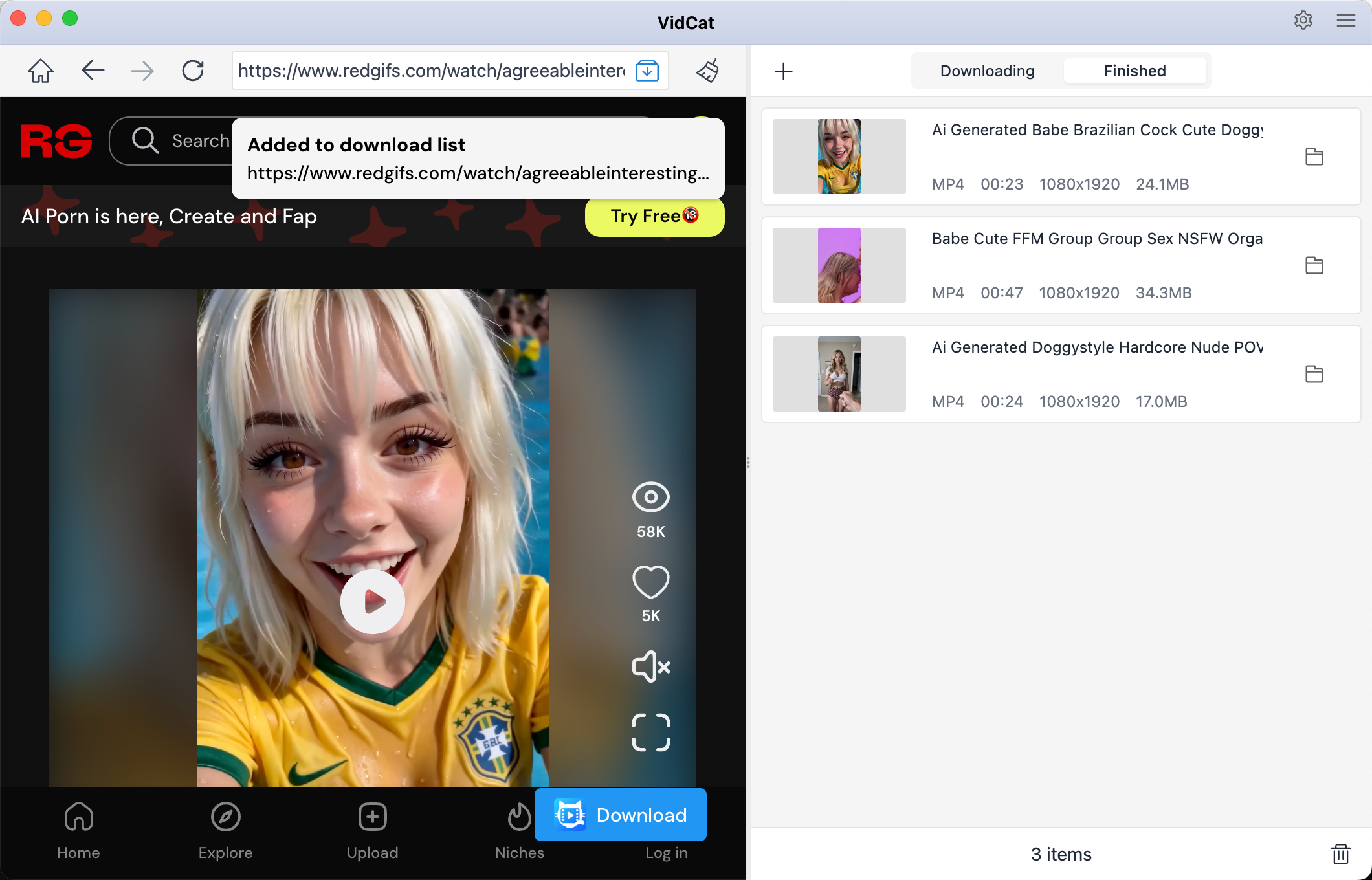
VidCat is our recommended RedGIFs video downloader for users who want a dedicated solution for saving online videos as MP4 files. Instead of repeatedly switching between RedGIFs and an online downloader, you can use a desktop-based workflow to manage your video downloads in one place.
Key Features of VidCat:
- Batch video download support (10,000+ websites)
- Extract videos in up to 8K quality
- Save videos in popular formats like MP4/MP3
- Support pasting multiple urls to download
- Built-in browser to access DRM protected videos
How to Download RedGIFs Videos to MP4 with VidCat:
- Download and install VidCat on your computer; Open VidCat and select MP4 and your preferred quality, if available.
- Open RedGIFs inside VidCat and find the video you want to save, click Download and wait for the video to finish saving.
- Repeat the process for downloading more RedGIFs videos.
1.2 Top RedGIFs Video Downloader Extensions
Browser extensions are convenient for users who prefer downloading directly while browsing. Current RedGIFs downloader extensions can add download functionality to supported video pages, while some can detect multiple clips on feed pages.
Popular Choices:
- Elegant RedGIFs Downloader
- Video DownloadHelper
- Video Downloader – MPMux
Steps:
- Install the extension like Video DownloadHelper in Firefox.
- Open and play a RedGIFs video, wait for the video to load.
- Click the extension icon to extract video from the RedGIFs page, then save the video to your preferred location.
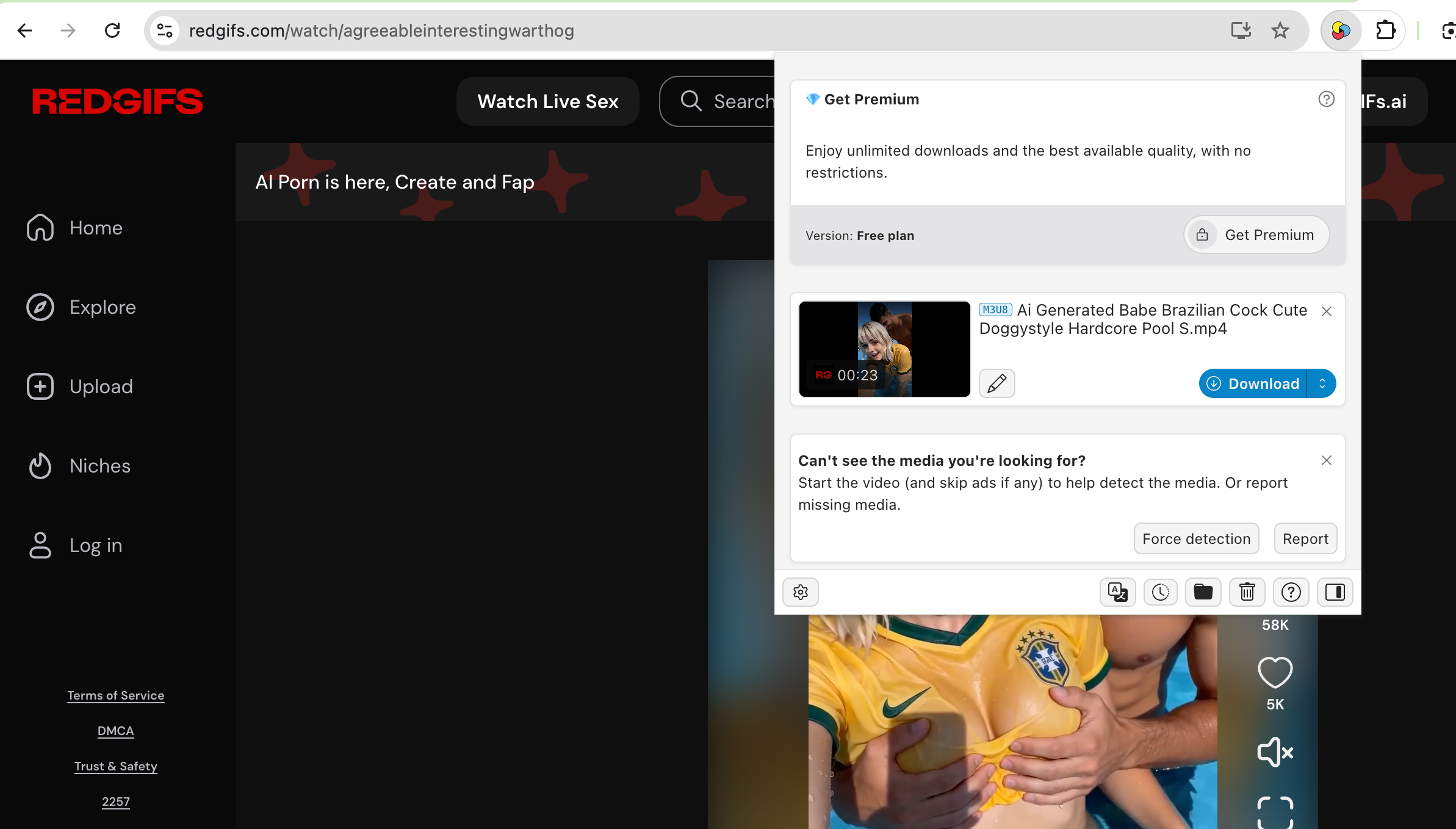
Browser extensions are convenient, but availability and compatibility can change. Some RedGIFs downloading extensions have also disappeared from official browser stores, so always check the extension’s source and permissions before installation.
1.3 Top RedGIFs Online Video Downloaders
Online downloaders are ideal when you only need to save a few videos and don’t want to install additional software.
Popular Choices:
- RedVid.io
- RedGIFDownloader.net
- GetRedGIFs.com
Steps:
- Copy the RedGIFs video URL, open an online tool mentioned above, like GetRedGIFs.com, then paste the URL into the provided field.
- Click Search, and wait for the tool to detect available videos.
- Choose a quality and save the RedGIFs video to your device.
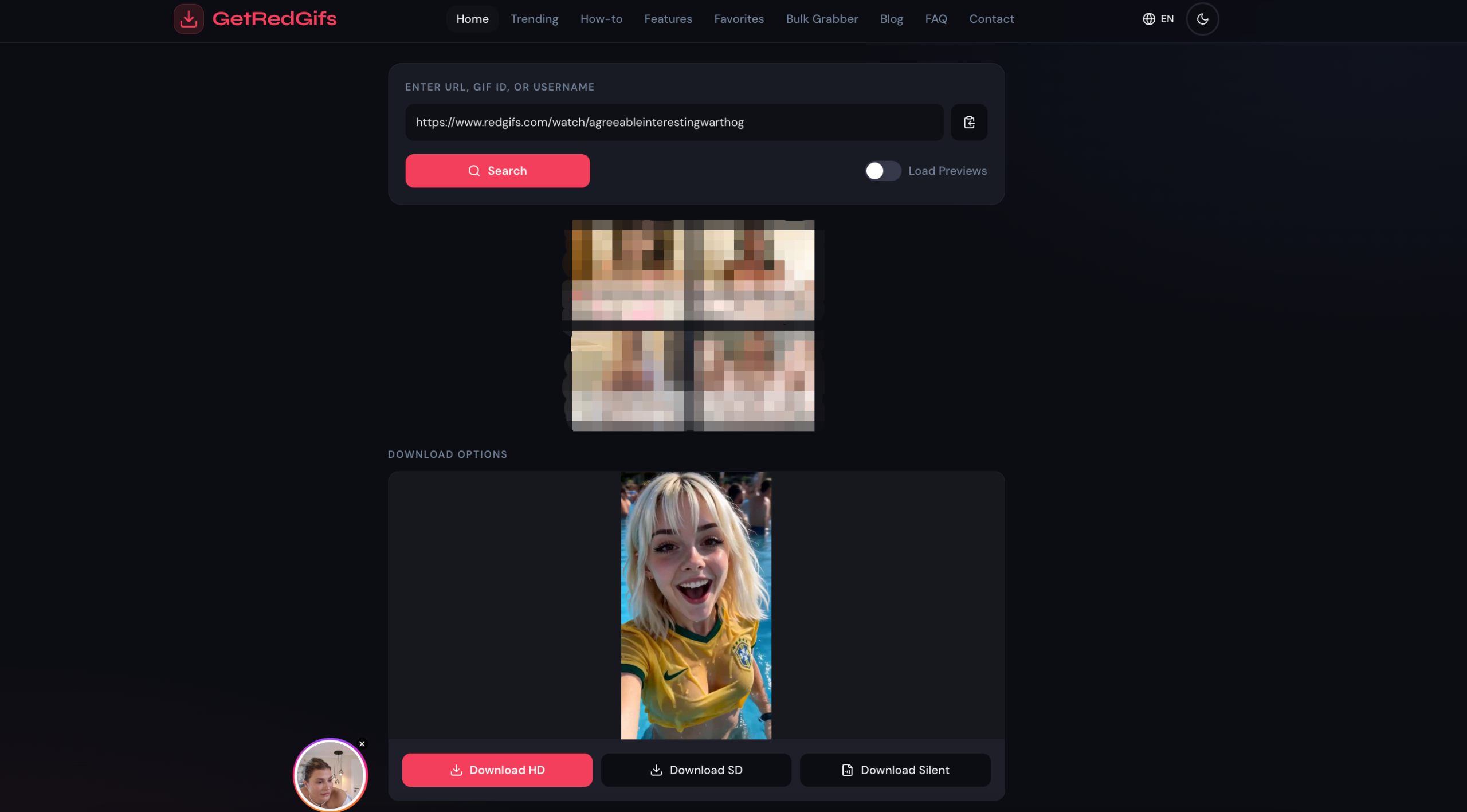
Online tools are convenient, but they may have limitations involving quality, availability, advertisements, or website changes.
2. Top RedGIFs Downloaders to Download Images in Bulk
Downloading one image at a time is manageable for a few files but becomes inefficient when a RedGIFs page contains many images or thumbnails. A bulk image downloader can scan a webpage, display detected images, and let you select multiple files before downloading them.
2.1 Best Recommended RedGIFs Image Downloader: PicCat
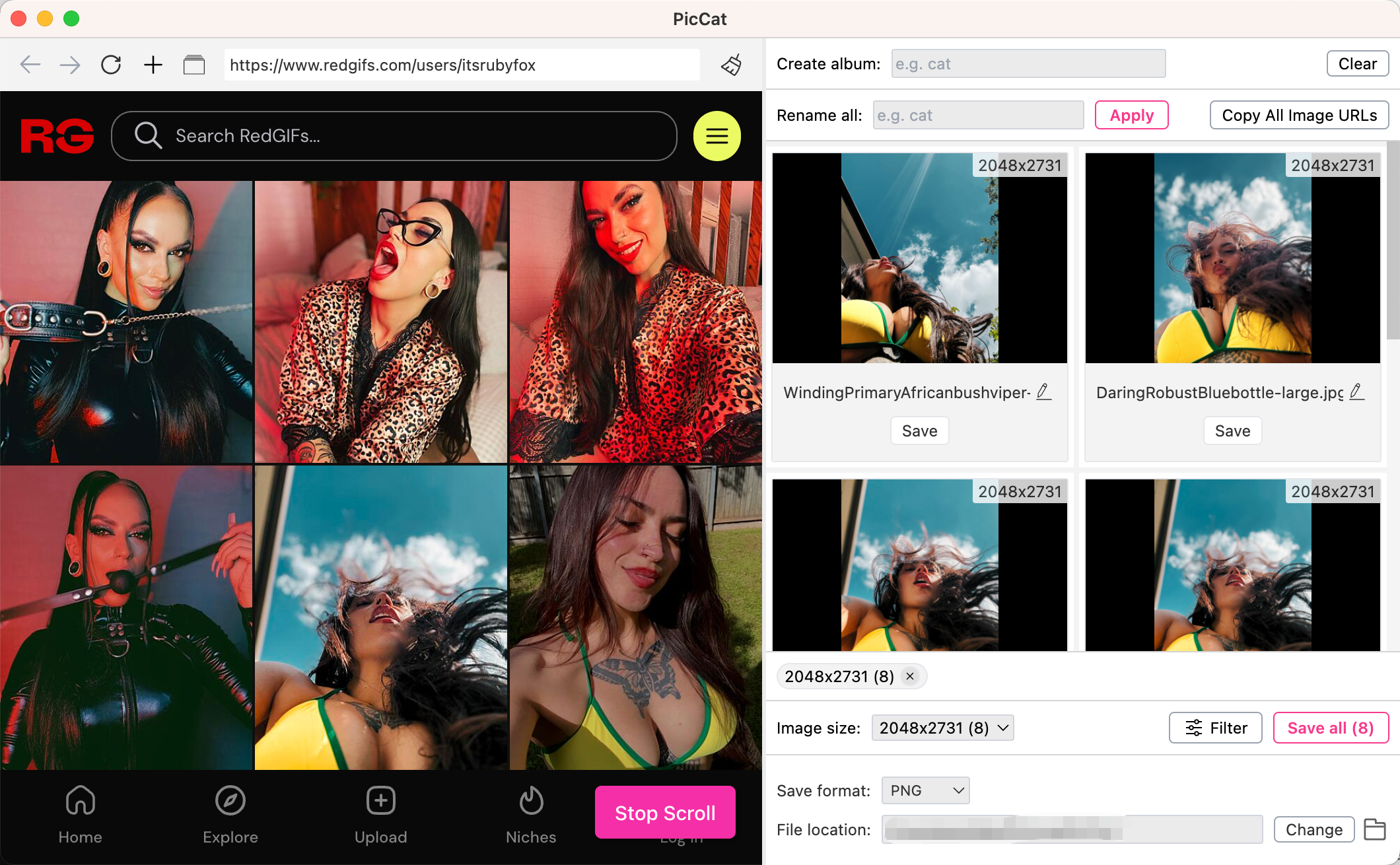
PicCat is our recommended choice for users who want to download RedGIFs images in bulk. Rather than manually saving every image, PicCat can simplify the process by identifying images on webpages and allowing you to select the files you need.
Key Features of PicCat:
- Bulk image downloading from all image hosting websites
- Extract images in original quality
- Suppory importing multiple image or page URLs
- Filter and choose images by sizes and types
- Save images in original or popular formats
How to Download RedGIFs Images with PicCat:
- Install, launch and open PicCat on your Windows or Mac.
- Open the RedGIFs page containing the images you want to save within PicCat, then scroll the page and let PicCat detect the available images.
- Preview the detected files and select the images you want.
- Choose an output folder and start the bulk download.
2.2 Top RedGIFs Image Downloader Extensions
Image downloader extensions can scan webpages and identify multiple image files. They are useful when you want a browser-based solution without installing a full desktop application.
Popular Choices:
- Imageye Image Downloader
- Fatkun Batch Download Image
- Bulk Image Downloader from URL List
Steps:
- Install Imageye or other image downloader extension in your browser.
- Open the RedGIFs page and click the Imageye extension icon.
- Wait for it to scan the page; Review the detected images, select the files you want and download the selected images.
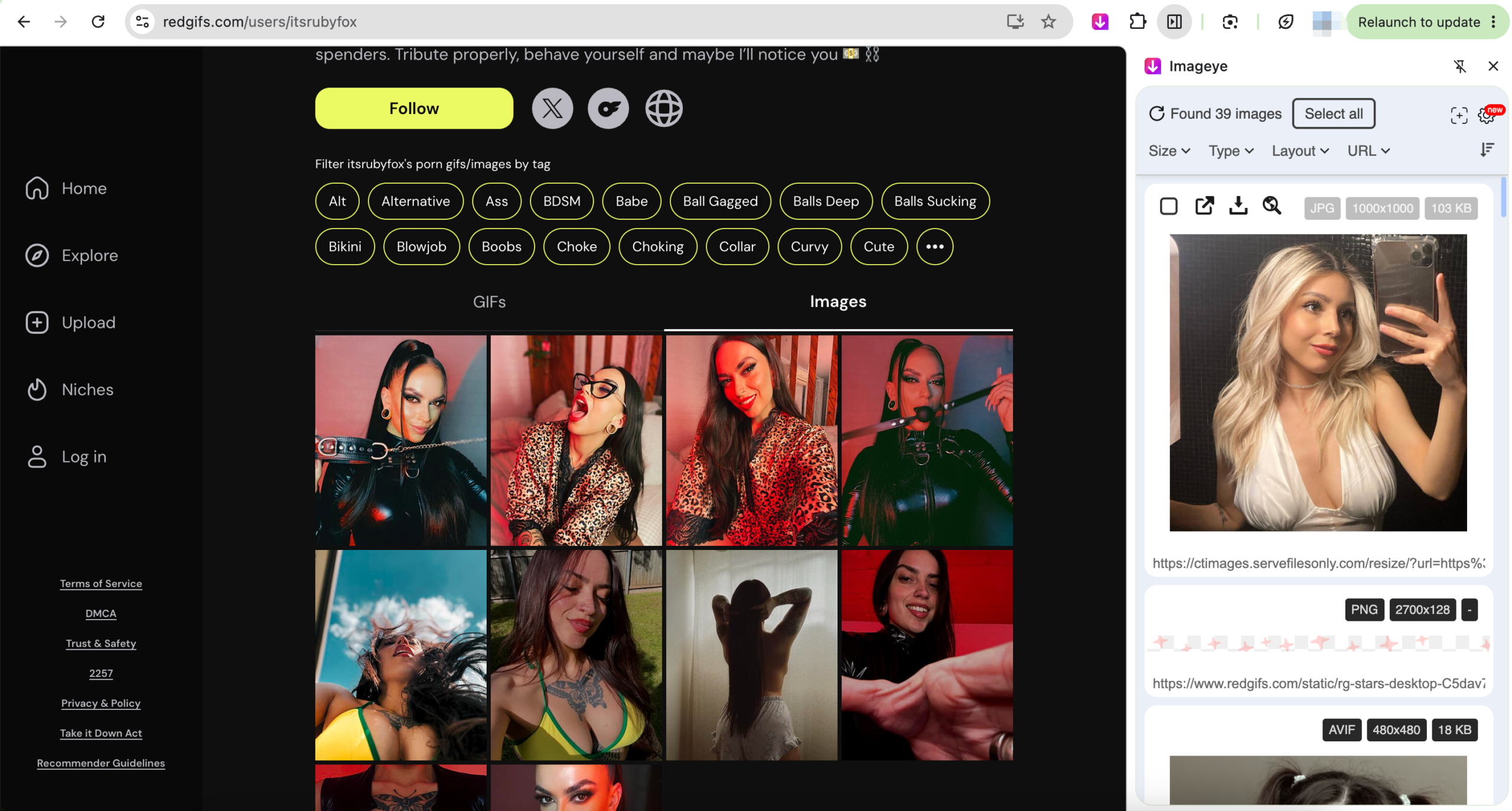
The main limitation of general image extensions is that dynamically loaded content may not always be detected. If images appear only after scrolling or additional interaction, you may need to load the entire page before scanning.
2.3 Top RedGIFs Online Image Downloaders
Online image downloaders are convenient for occasional tasks because they do not require additional software.
Popular Choices:
- IMGDownloader
- Image Extractor
- Image Downloader Online
Steps:
- Copy the RedGIFs page URL, pen an online image downloader like Image Extractor and paste the URL into the search or input box.
- Start the scan; Review and select the detected images, then download them to your computer.
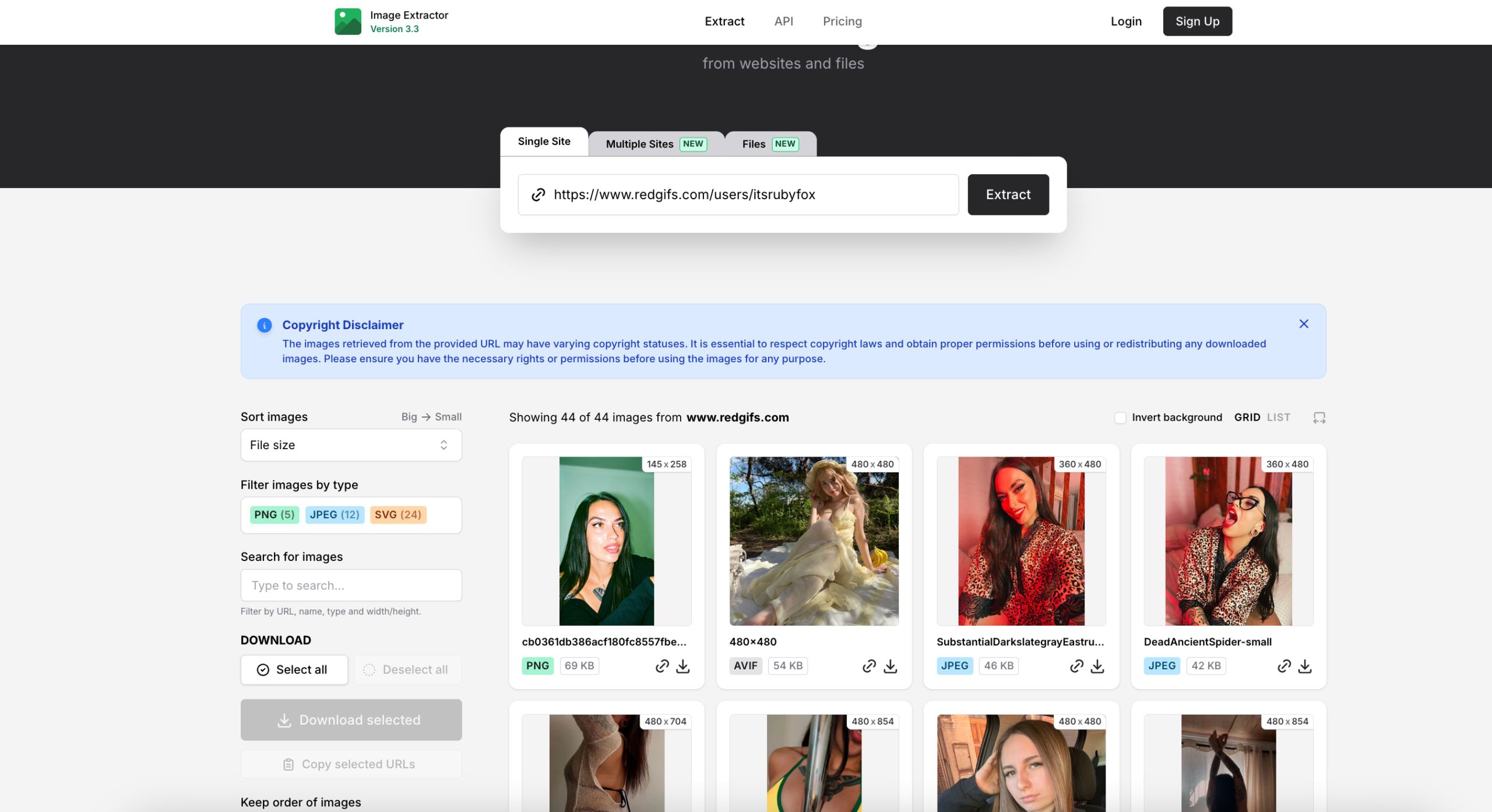
Online image downloaders may have limitations such as restricted batch downloads, lower image quality, difficulty detecting dynamically loaded images, and intrusive ads or pop-ups.
3. Conclusion
The best RedGIFs downloader depends on whether you want to save videos, GIF-style clips, or images. For RedGIFs videos to MP4, VidCat is our recommended option because a dedicated downloader provides a convenient workflow for repeated and batch downloads.
For bulk RedGIFs image downloads, PicCat is our recommended choice because it focuses on detecting and downloading multiple images efficiently.